
Reviews
Your graphics add a nice touch to my presentations and I recently used them for one of my all-hands meetings. Your toolbox adds professionalism to my slides. Instead of using standard clipart.
I needed a fresh look at some of my slides. I've tried to find a way to create a paintbrush effect, to underline, accentuate, add some color and the handwritten markers were just the things. Very easy to use, easy to size, change the color. It was an affordable, perfect solution and I'm happy to recommend it.
The crisp, clean look of the graphics, and the fact that it allowed me to easily edit and change the colors to match the template was my main reason for purchasing them.
Description
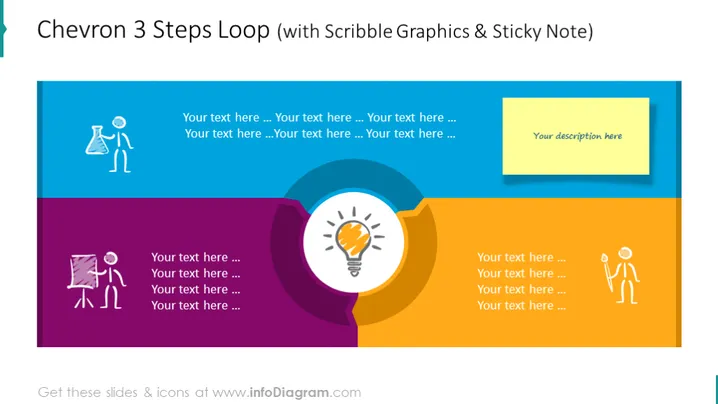
Chevron 3 Steps Loop (with Scribble Graphics & Sticky Note)
Slide Content
The slide is designed to visualise a process with three steps in a circular, loop-like progression, indicated by the chevron shapes. Each step is represented by a different color and a unique scribble graphic icon of a person engaged in an activity—think, create, and discuss—coupled with placeholder text for further explanatory content. A sticky note graphic on the right side provides space for additional descriptions or summaries.
Graphical Look
- The slide background is a gradient of blue, purple, and yellow colors.
- Three chevron shapes, each with a distinct color—blue, purple, and yellow—are arranged in a curved sequence to form a loop.
- On each chevron, there is a white silhouette scribble graphic of a person:
- The blue chevron features a person with a gear, symbolizing the thinking process or ideation.
- The purple chevron contains an icon of a person with a paintbrush and easel, representing the creation or design phase.
- The yellow chevron displays a person holding up their hand, possibly indicating a discussion or presentation phase.
- Each chevron shape has four lines of placeholder text for information relevant to that step.
- A light green sticky note graphic is placed to the right of the loop, containing the text "Your description here" as a placeholder for additional detail or summary.
- A prominent light bulb icon is situated in the center of the loop, symbolizing a central idea or solution.
The slide has a modern and dynamic feel with its use of bright colors and playful scribble icons. The looped chevron design effectively indicates a cyclical process or steps that repeat over time.
Use Cases
- To present the stages of a project or business strategy in a training or informational session.
- As a visual aid in a marketing presentation to outline the lifecycle of product development.
- In a sales pitch to describe the step-by-step process through which a potential solution is vetted and brought to market.
- During team meetings, to review and discuss progress within a continuous improvement or quality assurance cycle.
How to Edit
How to edit text & colors

How to expand / shorten diagram

How to Replace Icons in infoDiagram PPT


