
Reviews
Sus gráficos añaden un toque agradable a mis presentaciones y recientemente los usé para una de mis reuniones generales. Su conjunto de herramientas añade profesionalismo a mis diapositivas. En lugar de usar imágenes prediseñadas estándar.
Necesitaba un aspecto fresco para algunas de mis diapositivas. Había intentado encontrar una forma de crear un efecto de pincel, de subrayar, acentuar, añadir algo de color y los marcadores escritos a mano fueron justo lo que necesitaba. Muy fácil de usar, fácil de ajustar el tamaño, cambiar el color. Fue una solución asequible y perfecta, y estoy feliz de recomendarla.
El aspecto nítido y limpio de los gráficos, y el hecho de que me permitiera editar y cambiar fácilmente los colores para que coincidieran con la plantilla fue mi principal razón para comprarlos.
Description
Trade sectors
Slide Content
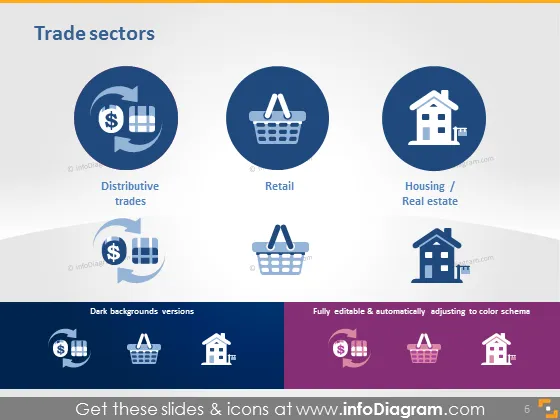
The 'Trade sectors' PowerPoint slide presents three key market segments: Distributive trades, Retail, and Housing/Real estate. Each sector is represented by a distinct circular icon: a pie chart with a dollar sign for Distributive trades symbolizes the economic exchanges and financial aspects; a shopping basket for Retail represents the purchase of goods by consumers; and a house icon for Housing/Real estate signifies property and land transactions. Below the main icons, there are alternative versions suitable for dark backgrounds.
Graphical Look
- The slide background is a gradient from white to a light gray at the bottom.
- Three large circular icons, each set in a different shade of blue, are aligned horizontally across the slide.
- Each icon features a white graphic - the leftmost with a pie chart and dollar sign, the center with a shopping basket, and the rightmost with a house.
- Below each large icon is a label in black text, naming the represented sector ("Distributive trades," "Retail," and "Housing / Real estate").
- Beneath the row of large icons, there is a mirrored row with examples of how the icons would appear on a dark background.
- On the left side, there is additional text labeling the alternative icons as "Dark backgrounds versions."
- On the right side, text notes that the icons are "Fully editable & automatically adjusting to color schema."
The slide uses a clean and straightforward design, with a professional, corporate aesthetic. The use of contrast between the icons and background makes the information stand out clearly.
Use Cases
- Presenting an overview of different economic sectors in a business or economic presentation.
- Discussing market segmentation in a marketing strategy meeting.
- Introducing key areas of focus in a company's annual report.
- Offering a visual breakdown of industry sectors during an educational session or workshop.
How to Edit
How to edit text & colors

How to expand / shorten diagram

How to Replace Icons in infoDiagram PPT


