
Reviews
Your graphics add a nice touch to my presentations and I recently used them for one of my all-hands meetings. Your toolbox adds professionalism to my slides. Instead of using standard clipart.
I needed a fresh look at some of my slides. I've tried to find a way to create a paintbrush effect, to underline, accentuate, add some color and the handwritten markers were just the things. Very easy to use, easy to size, change the color. It was an affordable, perfect solution and I'm happy to recommend it.
The crisp, clean look of the graphics, and the fact that it allowed me to easily edit and change the colors to match the template was my main reason for purchasing them.
Description
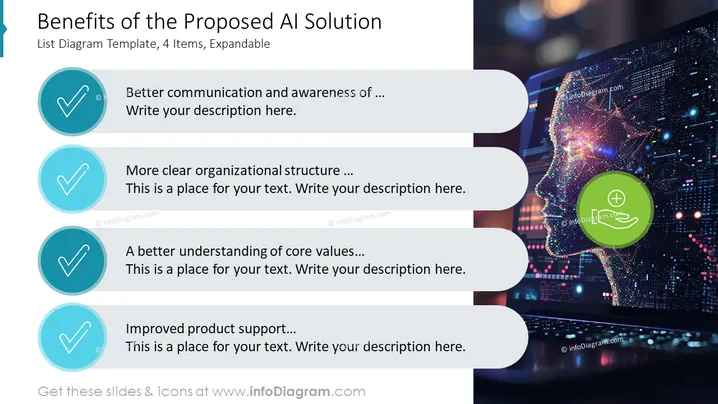
Benefits of the Proposed AI Solution
Slide Content
The slide lists four key benefits of implementing an AI solution: 'Better communication and awareness', indicating enhanced interactions and knowledge sharing; 'More clear organizational structure', denoting improved clarity in roles and hierarchy; 'A better understanding of core values', implying that AI can deepen insights into foundational principles; 'Improved product support', suggesting that customer service and maintenance could be enhanced through AI.
Graphical Look
- The slide background features a high-tech image of a humanoid head patterned with multicolored lights, suggesting digital intelligence or AI.
- Four circular teal icons with white check marks, each beginning a point about AI benefits.
- Each icon is paired with a textbox for additional explanation, inviting the presenter to elaborate.
- The rightmost part of the slide is visually dynamic, with a luminous representation of artificial intelligence, while the left maintains a structured and clean bullet list format.
- There is a prominent green call-to-action button with a plus symbol, possibly for adding more content or facilitating engagement.
The slide effectively juxtaposes a vibrant, futuristic AI image with a clear and organized textual layout. The color scheme and imagery are visually pleasing and convey a sense of advanced technology.
Use Cases
- Presenting the advantages of AI integration to stakeholders during a business meeting.
- Illustrating potential improvements to internal processes when proposing AI solutions to management.
- Demonstrating the value proposition of AI to potential investors in a pitch presentation.
- Training sessions explaining the impact of AI on organization-wide practices and culture.
How to Edit
How to edit text & colors

How to expand / shorten diagram

How to Replace Icons in infoDiagram PPT


