
Reviews
Your graphics add a nice touch to my presentations and I recently used them for one of my all-hands meetings. Your toolbox adds professionalism to my slides. Instead of using standard clipart.
I needed a fresh look at some of my slides. I've tried to find a way to create a paintbrush effect, to underline, accentuate, add some color and the handwritten markers were just the things. Very easy to use, easy to size, change the color. It was an affordable, perfect solution and I'm happy to recommend it.
The crisp, clean look of the graphics, and the fact that it allowed me to easily edit and change the colors to match the template was my main reason for purchasing them.
Description
August (US)
Slide Content
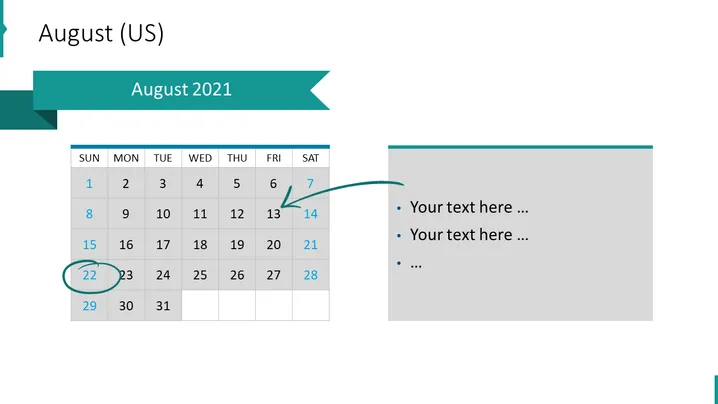
The slide presents a calendar for August 2021, highlighting the Sundays through Saturdays with dates clearly marked. One date, the 22nd, is circled, indicating a possible event or deadline. Next to the calendar is a text box with bullet points that suggest space for additional details or notes linked to the calendar. This provides a visual representation for scheduling or emphasizing key dates within the month for planning or presentation purposes.
Graphical Look
- The slide has a large title "August 2021" in a bold, dark font against a teal ribbon banner.
- There's a traditional grid-style calendar for the month of August 2021 on the left side of the slide.
- The calendar's header rows are shaded in light grey, with days of the week labeled from "SUN" through "SAT."
- Dates are presented in black text within each cell of the grid, with the "22" encircled in teal, matching the color of the title banner.
- An arrow originating from a sidebar points to August 14, suggesting significance.
- The right side of the slide features a grey text box with a lighter grey border and three bullet points followed by ellipses for customized text.
- The slide has a minimalist design with a combination of teal, grey, and black accents.
The overall look of the slide is clean and professional with a color-coordinated design that draws attention to specific elements. The use of the calendar and text box facilitates the presentation of dates and related notes.
Use Cases
- Presenting important project milestones and due dates in a business meeting to track progress.
- Outlining company or departmental events for the month during a team briefing.
- Highlighting key dates for a marketing campaign's launch or deadlines in a strategic planning session.
- Providing an overview of important dates during a staff orientation or training program.
How to Edit
How to edit text & colors

How to expand / shorten diagram

How to Replace Icons in infoDiagram PPT


