
Reviews
Your slides are my "secret sauce" when it comes to presenting my ideas to clients. I save a lot of time.
J'avais un délai de livraison à respecter et je n'avais pas le temps de créer une variété de modèles de diapositives. Infodiagram m'a proposé des options faciles à télécharger et à personnaliser en fonction de mes besoins !
Vos diapositives suscitent souvent de précieux commentaires et idées de la part de mon équipe, ce qui améliore les diapositives finales.
Description
Assessment and Recommendation of the Business Case
Slide Content
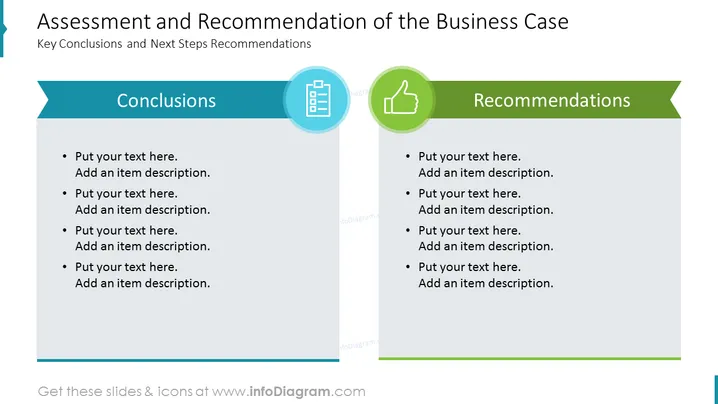
The PowerPoint slide is titled "Assessment and Recommendation of the Business Case" and is sectioned into two main parts: "Conclusions" and "Recommendations." Both sections are meant for bullet point entries where the author can list key findings and suggested next steps. Conclusions likely pertain to the outcomes of an evaluation process, summarizing the key points of the analysis. Recommendations are probably focused on the actions to be taken based on the assessment, guiding future strategy or decision-making.
Graphical Look
- The slide title is located at the top in large, bold text.
- There's a subtitle "Key Conclusions and Next Steps Recommendations" under the main title, in smaller text.
- The slide is split vertically into two columns.
- Each column has a header with the words "Conclusions" and "Recommendations" in bold and capitalized text.
- The "Conclusions" section has a light blue background, while the "Recommendations" section has a green background.
- Each section features a different icon inside a circle—left for "Conclusions" is a clipboard with a checkmark, and right for "Recommendations" is a thumbs-up symbol.
- There are bullet points with placeholder text "Put your text here. Add an item description." - indicating where to insert specific content.
- The design includes shadow effects, giving the objects a slight 3D appearance.
- Each bullet point consists of two lines: a main point and a sub-point for additional details.
The overall look of the slide is clean and professional, using contrasting colors to distinguish between conclusions and recommendations clearly. The icons are simple and representative, providing a quick visual reference for each section.
Use Cases
- Summarizing and presenting findings and action plans at the end of a project or business analysis.
- Providing clear conclusions and recommendations in a business proposal or report to executives or stakeholders.
- Utilizing during strategic planning meetings to highlight areas requiring decisions or changes.
- Employing in academic or training settings to teach students the structure of reporting on case studies or research findings.
How to Edit
How to edit text & colors

How to expand / shorten diagram

How to Replace Icons in infoDiagram PPT


