
Reviews
Your graphics add a nice touch to my presentations and I recently used them for one of my all-hands meetings. Your toolbox adds professionalism to my slides. Instead of using standard clipart.
I needed a fresh look at some of my slides. I've tried to find a way to create a paintbrush effect, to underline, accentuate, add some color and the handwritten markers were just the things. Very easy to use, easy to size, change the color. It was an affordable, perfect solution and I'm happy to recommend it.
The crisp, clean look of the graphics, and the fact that it allowed me to easily edit and change the colors to match the template was my main reason for purchasing them.
Description
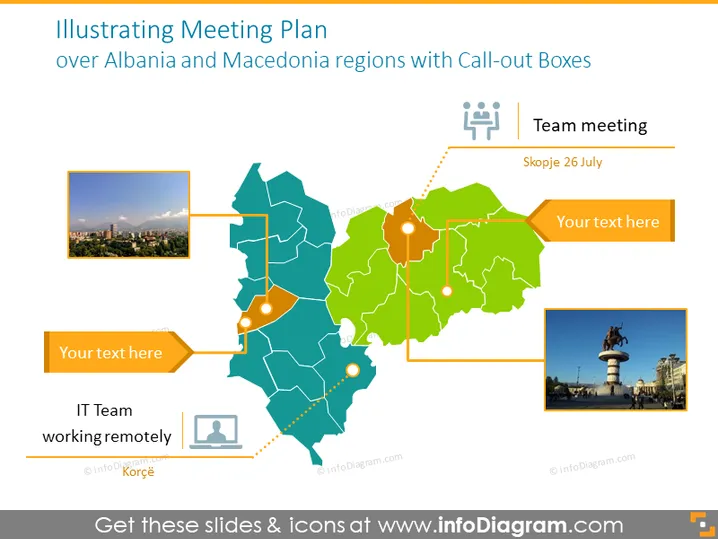
Illustrating Meeting Plan over Albania and Macedonia regions with Call-out Boxes
Slide Content
The PowerPoint slide presents a meeting plan over the Albania and Macedonia regions, using call-out boxes to pinpoint specific locations and related information. The slide contains labels for "IT Team working remotely" and a "Team meeting" scheduled for "Skopje 26 July". Additional placeholders for text suggest further customization and detail can be added, elaborating on meeting details such as location, agenda, or participants.
Graphical Look
- A large, divided map in shades of blue and green represents Albania and Macedonia, with distinct political borders.
- Yellow call-out boxes with dotted lines point to specific regions within the map, indicating meeting points or areas of interest.
- Two photographs are positioned on the left and right, showing city views to contextualize the locations.
- Icons of a person and a group of people are placed near the bottom and top right of the map, respectively, symbolizing remote work and a team meeting.
- A dashed line connects the icon of a person to the call-out box labeled "IT Team working remotely," showing a relationship between the label and the map region.
The slide's design is clean and professional, utilizing a muted color palette that allows the information to stand out. The call-out boxes, icons, and images serve to visually integrate data with geographic context.
Use Cases
- To plan and demonstrate the locations of multiple team meetings or events across different regions.
- For presentations in travel and logistics, detailing routes and points of interest.
- In strategic business meetings, to discuss market expansion, regional management, or to allocate resources efficiently.
- In educational settings, to illustrate case studies or research related to geographical areas and their social or economic significance.
How to Edit
How to edit text & colors

How to expand / shorten diagram

How to Replace Icons in infoDiagram PPT


