
Reviews
Your graphics add a nice touch to my presentations and I recently used them for one of my all-hands meetings. Your toolbox adds professionalism to my slides. Instead of using standard clipart.
I needed a fresh look at some of my slides. I've tried to find a way to create a paintbrush effect, to underline, accentuate, add some color and the handwritten markers were just the things. Very easy to use, easy to size, change the color. It was an affordable, perfect solution and I'm happy to recommend it.
The crisp, clean look of the graphics, and the fact that it allowed me to easily edit and change the colors to match the template was my main reason for purchasing them.
Description
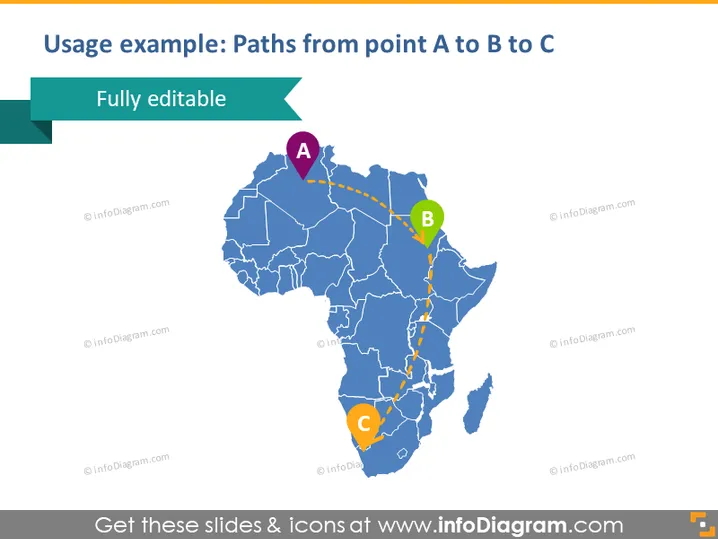
Usage example: Paths from point A to B to C
Slide Content
The slide presents a graphic illustration showing possible paths or connections between three points marked as A, B, and C on the map of Africa. Each point is represented by a colored circle with a letter inside, and the paths are shown as dotted lines. Points A and B are connected, as well as points B and C, indicating a sequence or process that moves from A through B to C.
Graphical Look
- A large map of Africa in blue with white outlining for country borders
- Three circles in purple (A), green (B), and orange (C) to represent different points
- Dotted lines in yellow connect the circles, depicting paths or routes
- A large, bold title in dark blue font that reads "Usage example: Paths from point A to B to C"
- A turquoise-colored banner in the top left corner with text "Fully editable"
The slide has a clean and professional appearance, utilizing a color scheme that contrasts well against the blue map. The simplicity of the design directs focus to the paths and points of interest on the map.
Use Cases
- Illustrating logistics routes or supply chain movements between different locations
- Showing strategic expansion plans for businesses into new markets
- Mapping out travel itineraries or tours that cover multiple destinations
- Demonstrating regional market research or data flow between different areas
How to Edit
How to edit text & colors

How to expand / shorten diagram

How to Replace Icons in infoDiagram PPT


