
Reviews
Sus gráficos añaden un toque agradable a mis presentaciones y recientemente los usé para una de mis reuniones generales. Su conjunto de herramientas añade profesionalismo a mis diapositivas. En lugar de usar imágenes prediseñadas estándar.
Necesitaba un aspecto fresco para algunas de mis diapositivas. Había intentado encontrar una forma de crear un efecto de pincel, de subrayar, acentuar, añadir algo de color y los marcadores escritos a mano fueron justo lo que necesitaba. Muy fácil de usar, fácil de ajustar el tamaño, cambiar el color. Fue una solución asequible y perfecta, y estoy feliz de recomendarla.
El aspecto nítido y limpio de los gráficos, y el hecho de que me permitiera editar y cambiar fácilmente los colores para que coincidieran con la plantilla fue mi principal razón para comprarlos.
Description
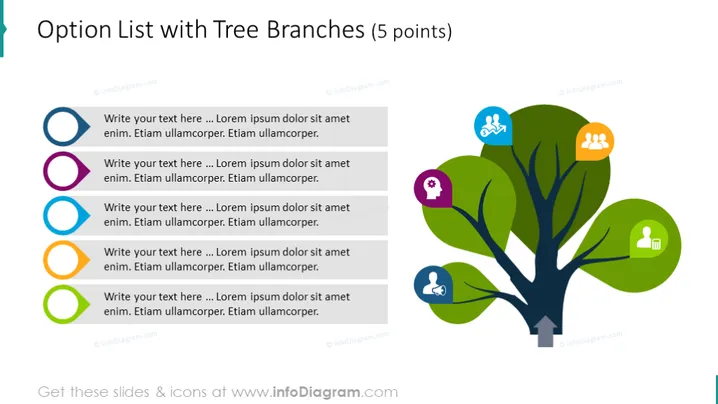
Option List with Tree Branches (5 points)
Slide Content:
The slide displays an option list associated with a tree diagram, which has five points, each with a placeholder for text. These points represent options or steps that are part of a sequence or a set of choices. The text placeholders suggest that the user can input specific information relevant to each option. The tree branches connect to these options, implying a natural growth or progression from one point to another.
Graphical Look:
- A stylized tree with a dark trunk and vibrant green leaves, serving as the central visual element.
- Five colored circles to the left of the tree: blue, pink, light blue, orange, and green.
- Each circle is connected to a corresponding leaf on the tree with a line.
- Iconography on the tree leaves, including a gear, a group of people, a key, a bicycle, and a handshake symbol.
The slide is visually appealing, with a clean and colorful design. The tree serves as a metaphor for growth or connectivity, with the leaves and branches representing the options or steps in a process.
Use Cases:
- To display a range of services or products in a marketing presentation.
- For illustrating steps in a business process or a project timeline.
- In educational settings to show different aspects or components of a topic.
- As an agenda slide to outline the main points of a presentation.
How to Edit
How to edit text & colors

How to expand / shorten diagram

How to Replace Icons in infoDiagram PPT


