
Reviews
Vos graphiques ajoutent une belle touche à mes présentations et je les ai récemment utilisés pour l'une de mes réunions générales. Votre boîte à outils ajoute du professionnalisme à mes diapositives. Au lieu d'utiliser des cliparts standards.
J'avais besoin d'un nouveau regard sur certaines de mes diapositives. J'ai essayé de trouver un moyen de créer un effet de pinceau, de souligner, d'accentuer, d'ajouter de la couleur et les marqueurs manuscrits étaient exactement ce qu'il fallait. Très facile à utiliser, facile à ajuster la taille, à changer la couleur. C'était une solution abordable et parfaite et je suis heureux de la recommander.
L'aspect net et épuré des graphiques, et le fait qu'il m'ait permis d'éditer et de changer facilement les couleurs pour les adapter au modèle, ont été les principales raisons de mon achat.
Description
360 feedback
Slide Content
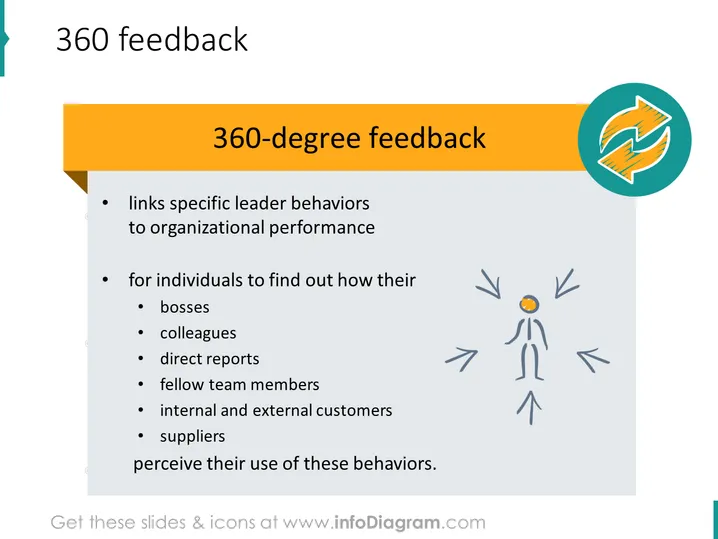
The slide is about "360-degree feedback," a mechanism that links leader behaviors with organizational performance. It is a tool used for individuals to understand how various groups within the workplace, such as bosses, colleagues, direct reports, fellow team members, internal and external customers, and suppliers, perceive their behaviors. Each group provides unique perspectives that contribute to a comprehensive view of the individual's performance and impact.
Graphical Look
- The slide's background is white, giving it a clean, minimalistic look.
- At the top, there is a wide orange banner with the text "360-degree feedback" in white font, serving as the slide's title.
- To the right of the title is a circular icon with two curved arrows forming a loop, symbolizing feedback or a cycle.
- The main content is bulleted, with two primary points, each having a sub-list detailing who provides feedback.
- A simplistic stick figure is depicted at the right side of the slide, with arrows pointing towards it from all directions, representing the concept of receiving feedback from all angles.
- The color scheme includes orange, white, and shades of gray, with a touch of blue in the icon.
The overall look of the slide is professional and straightforward, using visual elements such as the icon and stick figure to reinforce the concept of 360-degree feedback.
Use Cases
- To introduce the concept of 360-degree feedback in a human resources training session.
- During a leadership development workshop to explain how diverse feedback can improve management skills.
- In performance review meetings to discuss the methodology of gathering comprehensive feedback.
- As part of organizational change initiatives when presenting new feedback systems for improving communication and performance.
How to Edit
How to edit text & colors

How to expand / shorten diagram

How to Replace Icons in infoDiagram PPT


