

Your graphics add a nice touch to my presentations and I recently used them for one of my all-hands meetings. Your toolbox adds professionalism to my slides. Instead of using standard clipart.
Claude Jones, Director of Engineer, @Walmartlabs, USA

Your graphics add a nice touch to my presentations and I recently used them for one of my all-hands meetings. Your toolbox adds professionalism to my slides. Instead of using standard clipart.
Claude Jones, Director of Engineer, @Walmartlabs, USA
I needed a fresh look at some of my slides. I've tried to find a way to create a paintbrush effect, to underline, accentuate, add some color and the handwritten markers were just the things. Very easy to use, easy to size, change the color. It was an affordable, perfect solution and I'm happy to recommend it.
Anonymous, US
The crisp, clean look of the graphics, and the fact that it allowed me to easily edit and change the colors to match the template was my main reason for purchasing them.
Brandie Jenkins, E-learning Developer, USA
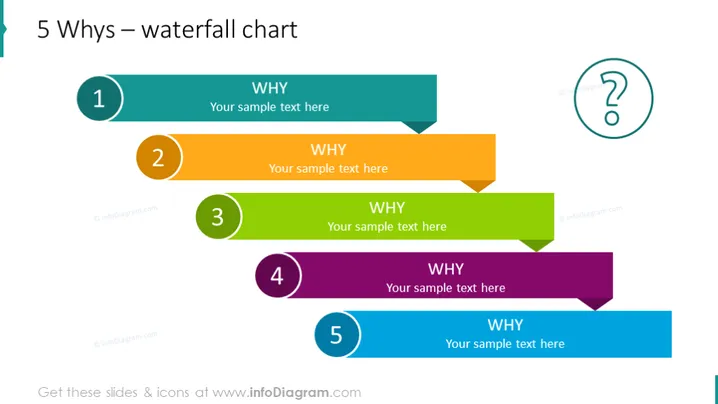
The PowerPoint slide is designed to illustrate the "5 Whys" analysis method using a waterfall chart format. This method is used to drill down into the details of a problem by repeatedly asking "Why?" to peel away the layers of symptoms, leading to the root cause of a problem. Each of the 5 steps has a different color, suggesting a sequence or flow of logic. For each 'Why', there is an allocated space for the user to provide explanatory text. This structured approach aids in identifying the underlying cause of an issue by iterative questioning.
The overall look of the slide is modern and vibrant with a clear hierarchy and flow that guides the viewer through the steps of the problem-solving process. The design is visually appealing and user-friendly, clearly demarcating spaces for user input.



