

Your graphics add a nice touch to my presentations and I recently used them for one of my all-hands meetings. Your toolbox adds professionalism to my slides. Instead of using standard clipart.
Claude Jones, Director of Engineer, @Walmartlabs, USA

Your graphics add a nice touch to my presentations and I recently used them for one of my all-hands meetings. Your toolbox adds professionalism to my slides. Instead of using standard clipart.
Claude Jones, Director of Engineer, @Walmartlabs, USA
I needed a fresh look at some of my slides. I've tried to find a way to create a paintbrush effect, to underline, accentuate, add some color and the handwritten markers were just the things. Very easy to use, easy to size, change the color. It was an affordable, perfect solution and I'm happy to recommend it.
Anonymous, US
The crisp, clean look of the graphics, and the fact that it allowed me to easily edit and change the colors to match the template was my main reason for purchasing them.
Brandie Jenkins, E-learning Developer, USA
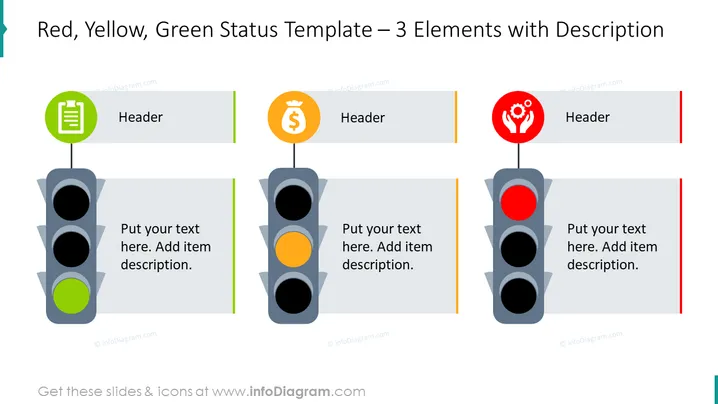
The slide features a project status reporting template utilizing a traffic light metaphor to represent different states of project elements. The green light symbolizes 'Go' or satisfactory conditions, the yellow light indicates 'Caution' or conditions that require attention, and the red light represents 'Stop' or critical issues that need immediate action. Each light is paired with a header and a placeholder for a description to detail the specific status.
The visual composition of the slide is straightforward and thematic, with a clean design that emphasizes categorization according to the traffic light colors. The icons add a layer of meaning, suggesting areas like documentation, finance, and team or community.
This slide could be effectively used in business presentations for project management updates, risk assessments, and status reports. It is suitable for visually communicating the state of different aspects of a project, like financial health, team performance, or task completion.



