

Your graphics add a nice touch to my presentations and I recently used them for one of my all-hands meetings. Your toolbox adds professionalism to my slides. Instead of using standard clipart.
Claude Jones, Director of Engineer, @Walmartlabs, USA

Your graphics add a nice touch to my presentations and I recently used them for one of my all-hands meetings. Your toolbox adds professionalism to my slides. Instead of using standard clipart.
Claude Jones, Director of Engineer, @Walmartlabs, USA
I needed a fresh look at some of my slides. I've tried to find a way to create a paintbrush effect, to underline, accentuate, add some color and the handwritten markers were just the things. Very easy to use, easy to size, change the color. It was an affordable, perfect solution and I'm happy to recommend it.
Anonymous, US
The crisp, clean look of the graphics, and the fact that it allowed me to easily edit and change the colors to match the template was my main reason for purchasing them.
Brandie Jenkins, E-learning Developer, USA
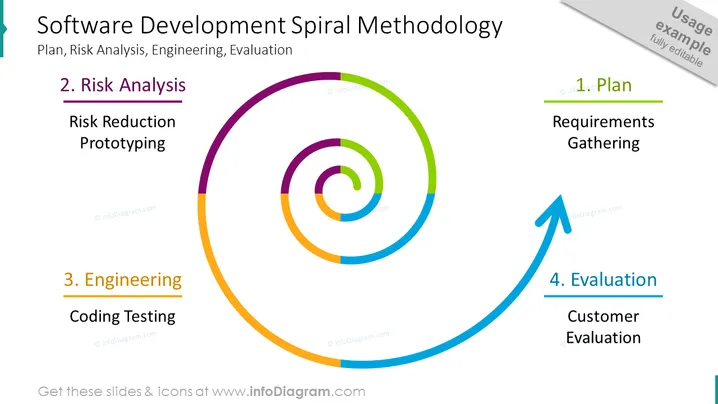
This slide presents the "Software Development Spiral Methodology" including four key phases: Plan, Risk Analysis, Engineering, and Evaluation. The "Plan" phase focuses on "Requirements Gathering," which involves understanding the needs that the software must fulfill. The "Risk Analysis" phase emphasizes "Risk Reduction" and "Prototyping," aiming to identify potential issues early and test solutions. During the "Engineering" stage, actual "Coding" and "Testing" of the software take place. Finally, the "Evaluation" involves "Customer Evaluation," where feedback from end-users is obtained to guide future development iterations.
The slide has a professional appearance and the use of color is effective in distinguishing the different phases of the spiral methodology.



