

Your graphics add a nice touch to my presentations and I recently used them for one of my all-hands meetings. Your toolbox adds professionalism to my slides. Instead of using standard clipart.
Claude Jones, Director of Engineer, @Walmartlabs, USA

Your graphics add a nice touch to my presentations and I recently used them for one of my all-hands meetings. Your toolbox adds professionalism to my slides. Instead of using standard clipart.
Claude Jones, Director of Engineer, @Walmartlabs, USA
I needed a fresh look at some of my slides. I've tried to find a way to create a paintbrush effect, to underline, accentuate, add some color and the handwritten markers were just the things. Very easy to use, easy to size, change the color. It was an affordable, perfect solution and I'm happy to recommend it.
Anonymous, US
The crisp, clean look of the graphics, and the fact that it allowed me to easily edit and change the colors to match the template was my main reason for purchasing them.
Brandie Jenkins, E-learning Developer, USA
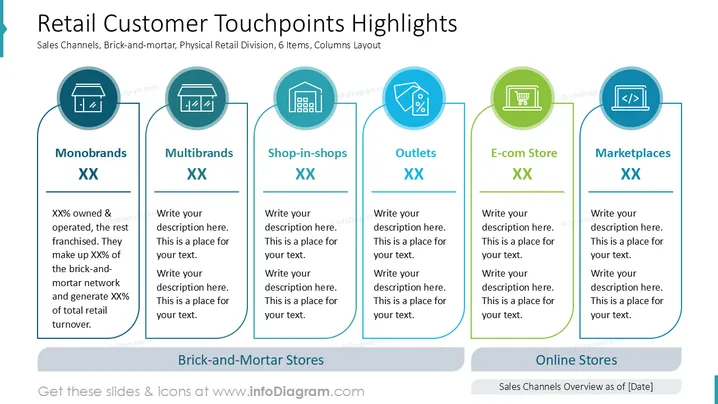
The slide discusses different retail customer touchpoints across various sales channels, categorized into brick-and-mortar and online stores. "Monobrands" highlights owned vs. franchised stores, contributing specific percentages to network and turnover. "Multibrands," "Shop-in-shops," and "Outlets" describe their roles in retail strategy. "E-com Store" covers online shop functionalities, while "Marketplaces" address third-party sales platforms.
The slide uses clear visual hierarchy and vibrant colors, effectively delineating categories for quick comprehension. Organized layout with icons aids in visual appeal and easy understanding of retail touchpoints.



