

Your graphics add a nice touch to my presentations and I recently used them for one of my all-hands meetings. Your toolbox adds professionalism to my slides. Instead of using standard clipart.
Claude Jones, Director of Engineer, @Walmartlabs, USA

Your graphics add a nice touch to my presentations and I recently used them for one of my all-hands meetings. Your toolbox adds professionalism to my slides. Instead of using standard clipart.
Claude Jones, Director of Engineer, @Walmartlabs, USA
I needed a fresh look at some of my slides. I've tried to find a way to create a paintbrush effect, to underline, accentuate, add some color and the handwritten markers were just the things. Very easy to use, easy to size, change the color. It was an affordable, perfect solution and I'm happy to recommend it.
Anonymous, US
The crisp, clean look of the graphics, and the fact that it allowed me to easily edit and change the colors to match the template was my main reason for purchasing them.
Brandie Jenkins, E-learning Developer, USA
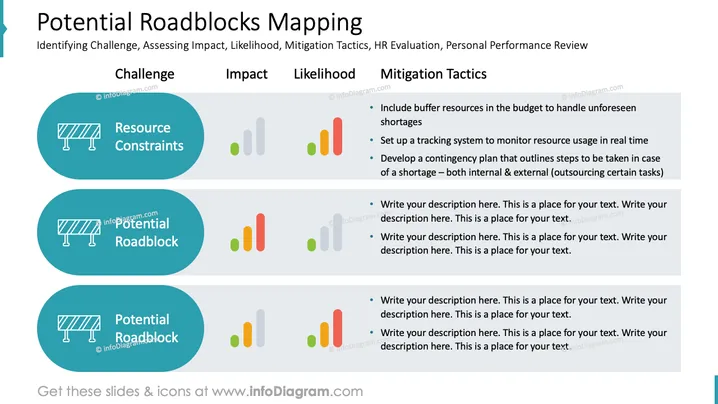
The slide titled "Potential Roadblocks Mapping" provides a framework for identifying challenges, assessing their impact and likelihood, as well as outlining mitigation tactics. It also mentions HR evaluation and personal performance review. The first item, "Resource Constraints," is accompanied by mitigation tactics such as including buffer resources in the budget, setting up a tracking system, and developing a contingency plan for resource shortages. The subsequent items are placeholders for additional potential roadblocks, each awaiting a description and tailored mitigation strategies.
The overall look of the slide is clean, structured, and easy to navigate visually, with a coherent color scheme that aids in differentiating sections and prioritizing information.



