

Your graphics add a nice touch to my presentations and I recently used them for one of my all-hands meetings. Your toolbox adds professionalism to my slides. Instead of using standard clipart.
Claude Jones, Director of Engineer, @Walmartlabs, USA

Your graphics add a nice touch to my presentations and I recently used them for one of my all-hands meetings. Your toolbox adds professionalism to my slides. Instead of using standard clipart.
Claude Jones, Director of Engineer, @Walmartlabs, USA
I needed a fresh look at some of my slides. I've tried to find a way to create a paintbrush effect, to underline, accentuate, add some color and the handwritten markers were just the things. Very easy to use, easy to size, change the color. It was an affordable, perfect solution and I'm happy to recommend it.
Anonymous, US
The crisp, clean look of the graphics, and the fact that it allowed me to easily edit and change the colors to match the template was my main reason for purchasing them.
Brandie Jenkins, E-learning Developer, USA
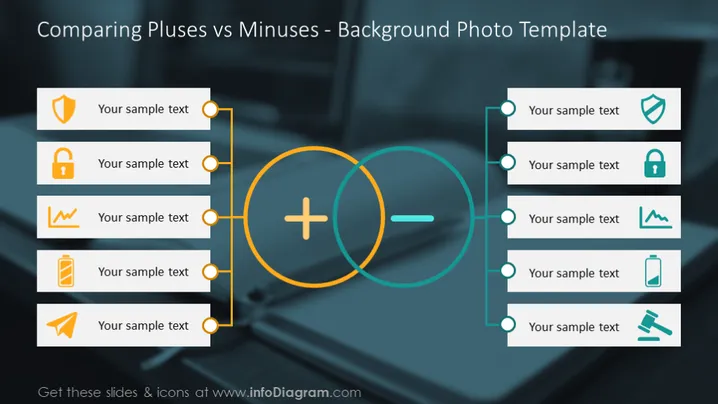
##Editable Plus and Minuses Comparison PowerPoint Template Plus and minus slide is a completely editable PowerPoint templates to create attractive comparison PowerPoint presentations. This template is a quick and convenient way to show the plus and minus sides of your presentation with attractive slides, clear infographics, icons, and themes! Utilize this PowerPoint plus and minuses template to compare a product's positives and negatives, talk about the advantages and disadvantages of a solution, or evaluate a strategy's ups and downs. Our work is design; we visualize with expertise, love, and care. If this diagram is not what you are looking for, you can find more templates available on our website. Head to our official website to search for more eye-catching templates, PowerPoint diagrams, icons, and presentations for Google Slides and Powerpoint. You can also reach out to our team from the link at the bottom if you have any questions about the process!
###Slide Contents:
With our editable set of vector shapes. You can:
##How to Download the Plus and Minus Comparison PowerPoint Template and Edit The Slide for a Presentation
After purchasing the Plus and Minus slides for PowerPoint, you will get immediate access to the customizable pros and cons template. You can download your plus and minus ppt template right after the purchase screen or download them whenever you need an infographic comparing the pros and cons by using your personal cloud. After downloading the PowerPoint presentation template, you can start creating your presentation using Microsoft PowerPoint, using Google Slides, or other presentation software. You can copy and paste the contents with shortcuts or drag the PowerPoint template. The slide is professionally designed and easy to customize. If you have creative ideas and want a unique look, play around with the slide and make the design your own with different touches!
###How to Create Plus and Minus PowerPoint Slides
It's pretty straightforward to create pluses and minuses lists with PowerPoint and Google Slides. The challenge is to make your message clear with the key features to give a simple yet powerful presentation. Use this presentation design to list plus and minuses using PowerPoint and explain the pros and cons of a concept. Make sure you don't use too many words and try to make it simple to keep your audience engaged. Choosing the right presentation template is important to help you create eye-catching presentations that work great with your audience. With the plus and minus PowerPoint templates, it's not necessary to use a very long list of bullet points. Just pick your subject, do your research, be concise and create your presentation slides without cluttering the pages with too many words. You can deliver your information most accurately and engagingly by using various eye-catching slide templates and graphics instead.
###More Ideas and Tips for Your Presentation:
If you also need general tips to be a successful presenter, you should be knowledgeable about your subject for a successful presentation. As long as you know your subject well, you can use more graphics and animations instead of long texts to remind you of the important points. Using a plus sign or an arrow to remember the advantages is a good example. You can make use of similar concepts with different subjects as well: Seeing the picture of a really hot desert or a high thermometer is a good reminder of rising heat levels when you are talking about Global warming. The benefits of using this method are: Making your slides easier to prepare and making it easier for your audience to follow them. Some presentations with sophisticated processes often include complicated subjects for you to talk about. Using the plus and minuses PPT Template means saving time for you and your audience. You should pick your templates carefully after doing your research. Your goal is to get the message across. Don't use too many words or visuals, find the perfect balance so you and your audience can focus on the subject. This means avoiding clashing colors, too large or small text, and cluttering the page with too many graphics.
You can use this template for a multitude of topics:
Authors infoDiagram Team. Have any questions? Contact us!



