
Your graphics add a nice touch to my presentations and I recently used them for one of my all-hands meetings. Your toolbox adds professionalism to my slides. Instead of using standard clipart.
Claude Jones, Director of Engineer, @Walmartlabs, USA

Your graphics add a nice touch to my presentations and I recently used them for one of my all-hands meetings. Your toolbox adds professionalism to my slides. Instead of using standard clipart.
Claude Jones, Director of Engineer, @Walmartlabs, USA

I needed a fresh look at some of my slides. I've tried to find a way to create a paintbrush effect, to underline, accentuate, add some color and the handwritten markers were just the things. Very easy to use, easy to size, change the color. It was an affordable, perfect solution and I'm happy to recommend it.
Anonymous, US
The crisp, clean look of the graphics, and the fact that it allowed me to easily edit and change the colors to match the template was my main reason for purchasing them.
Brandie Jenkins, E-learning Developer, USA
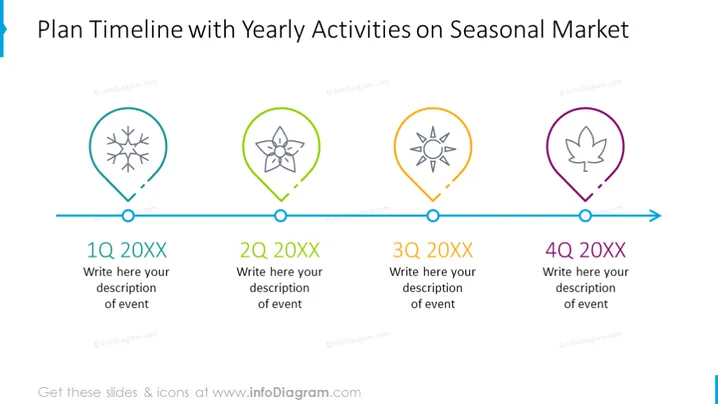
The PowerPoint slide "Plan Timeline with Yearly Activities on Seasonal Market" breaks down a timeline into four quarters, indicating different seasonal activities. 1Q 20XX corresponds with a snowflake symbol, suggesting a winter event. 2Q 20XX shows a flower icon, hinting at springtime activities. 3Q 20XX includes a sun graphic, which likely represents summer. And 4Q 20XX features a leaf emblem, pointing to autumn events. Each quarter allows space for a custom description of events, demonstrating the seasonal nature of the planned activities.
The slide features a clean and professional design with a color-coded system to visually segregate the quarters of the year. The icons are simple yet informative, corresponding to their respective seasonal activity.


