

Your graphics add a nice touch to my presentations and I recently used them for one of my all-hands meetings. Your toolbox adds professionalism to my slides. Instead of using standard clipart.
Claude Jones, Director of Engineer, @Walmartlabs, USA

Your graphics add a nice touch to my presentations and I recently used them for one of my all-hands meetings. Your toolbox adds professionalism to my slides. Instead of using standard clipart.
Claude Jones, Director of Engineer, @Walmartlabs, USA
I needed a fresh look at some of my slides. I've tried to find a way to create a paintbrush effect, to underline, accentuate, add some color and the handwritten markers were just the things. Very easy to use, easy to size, change the color. It was an affordable, perfect solution and I'm happy to recommend it.
Anonymous, US
The crisp, clean look of the graphics, and the fact that it allowed me to easily edit and change the colors to match the template was my main reason for purchasing them.
Brandie Jenkins, E-learning Developer, USA
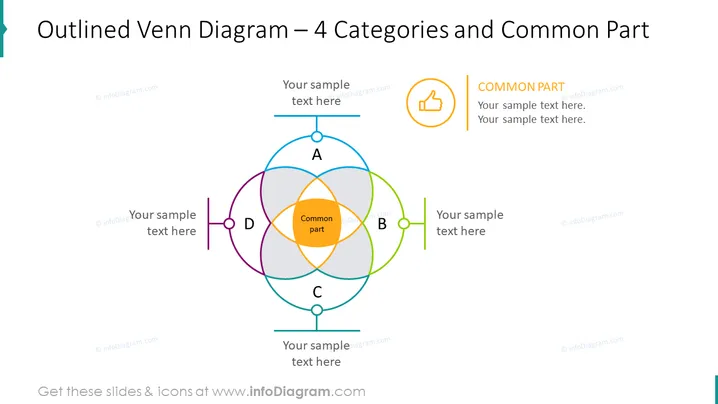
The PowerPoint slide presents an "Outlined Venn Diagram – 4 Categories and Common Part," illustrating the intersections and relationships between four distinct categories (A, B, C, and D) and their commonalities. Each category is represented by a circle with a unique color—blue, green, purple, and orange—and labeled with a corresponding capital letter. The central overlapped area is highlighted, signifying the common part shared among all categories, which emphasizes the intersection of ideas or elements being presented.
The visual composition is clean and structured, with a harmonious balance of color-coding and text placeholders that clearly indicate where the user should add content. The outlined circles in the Venn diagram and the bold color choices draw the eye and make the common elements easily identifiable.



