
Your graphics add a nice touch to my presentations and I recently used them for one of my all-hands meetings. Your toolbox adds professionalism to my slides. Instead of using standard clipart.
Claude Jones, Director of Engineer, @Walmartlabs, USA
Your graphics add a nice touch to my presentations and I recently used them for one of my all-hands meetings. Your toolbox adds professionalism to my slides. Instead of using standard clipart.
Claude Jones, Director of Engineer, @Walmartlabs, USA
I needed a fresh look at some of my slides. I've tried to find a way to create a paintbrush effect, to underline, accentuate, add some color and the handwritten markers were just the things. Very easy to use, easy to size, change the color. It was an affordable, perfect solution and I'm happy to recommend it.
Anonymous, US
The crisp, clean look of the graphics, and the fact that it allowed me to easily edit and change the colors to match the template was my main reason for purchasing them.
Brandie Jenkins, E-learning Developer, USA
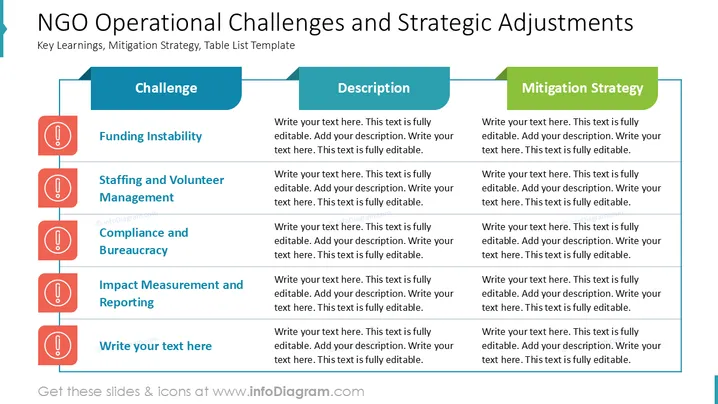
The slide explains key operational challenges faced by NGOs and offers strategic adjustments. Examples include "Funding Instability," which refers to the unpredictable nature of financial resources, and "Staffing and Volunteer Management," highlighting the complexity of handling human resources effectively. "Compliance and Bureaucracy" reflects regulatory hurdles that may impede operations. "Impact Measurement and Reporting" pertains to assessing and conveying the organization's effectiveness. The slide also includes placeholder text for additional challenges.
The slide design is professional and organized, making it easy to absorb complex information. The use of icons and color coding enhances readability and keeps the viewer engaged.




