

Your graphics add a nice touch to my presentations and I recently used them for one of my all-hands meetings. Your toolbox adds professionalism to my slides. Instead of using standard clipart.
Claude Jones, Director of Engineer, @Walmartlabs, USA

Your graphics add a nice touch to my presentations and I recently used them for one of my all-hands meetings. Your toolbox adds professionalism to my slides. Instead of using standard clipart.
Claude Jones, Director of Engineer, @Walmartlabs, USA
I needed a fresh look at some of my slides. I've tried to find a way to create a paintbrush effect, to underline, accentuate, add some color and the handwritten markers were just the things. Very easy to use, easy to size, change the color. It was an affordable, perfect solution and I'm happy to recommend it.
Anonymous, US
The crisp, clean look of the graphics, and the fact that it allowed me to easily edit and change the colors to match the template was my main reason for purchasing them.
Brandie Jenkins, E-learning Developer, USA
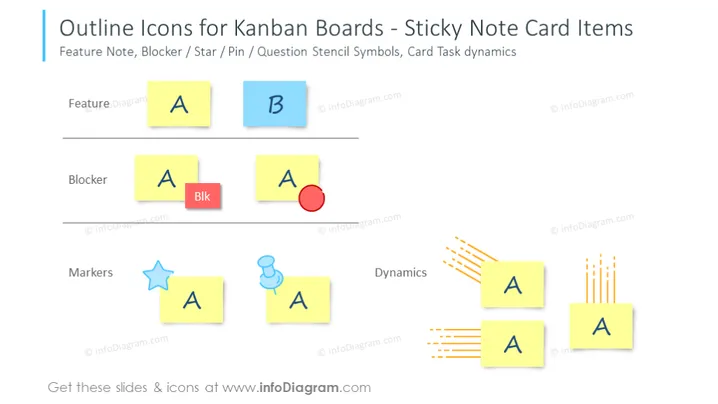
The PowerPoint slide is titled "Outline Icons for Kanban Boards - Sticky Note Card Items" and it illustrates examples of icons used for kanban board cards. These include feature notes, blockers, and markers, with variations like a star, a pin, and dynamic lines indicating movement or activity. Feature notes are depicted as simple colored sticky notes with letters "A" and "B" to represent different tasks or features. Blocker items show a sticky note with the word "Blk" and a red circle symbol to highlight critical issues or impediments. Lastly, markers consist of a star and a pin icon, adding a visual cue for prioritization or categorization, while the dynamic lines suggest ongoing tasks or a sequence of actions.
The overall look of the slide is modern and clean, making use of color and simple iconography to communicate the concepts effectively. The icons are minimalistic, enhancing their clarity and ease of interpretation for viewers.



