
Engineer Interview Outline Icons: Strategy

Slide Content

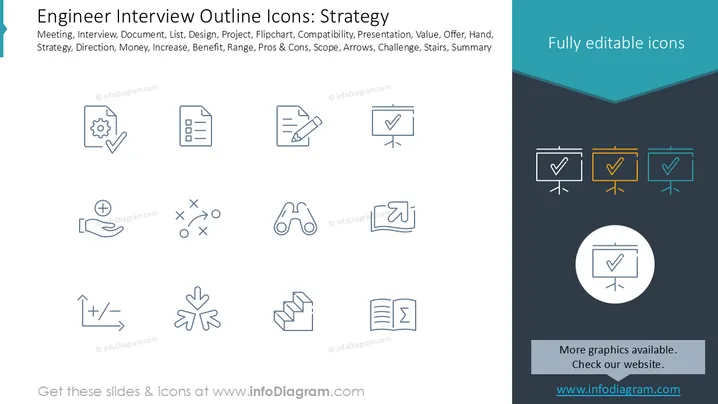
This slide presents a collection of outline icons related to strategy and various business concepts. It includes icons for a document with a gear and checkmark (project management/approval), a checklist document (task management), a document with a pencil (editing/planning), a presentation board with a checkmark (successful presentation), an open hand with a plus sign (adding value/offering), strategy/tactics (planning), binoculars (vision/outlook), a book with an arrow (progress/direction), a chart with plus/minus (analysis/variance), three converging arrows (focus/consolidation), stairs (steps/process), and an open book with sigma (summary/knowledge).

Graphical Look

  • The slide has a clean, professional design with a predominantly white background on the left and a dark blue section on the right.
  • The title "Engineer Interview Outline Icons: Strategy" is in a large, dark gray sans-serif font at the top left.
  • Below the title, there's a list of keywords in a smaller, dark gray sans-serif font, categorizing the icons.
  • The main content area on the left features 12 individual outline icons arranged in a 3x4 grid. Each icon is a simple, line-art drawing in a dark blue color.
  • The icons include: a document with a gear and checkmark, a document with a checklist, a document with a pencil, a presentation board with a checkmark, an open hand with a plus sign, an "X" and "O" strategy diagram, binoculars, an open book with an upward arrow, a line graph with plus/minus, three converging arrows, a set of stairs, and an open book with a sigma symbol.
  • The right side of the slide is a dark blue vertical band, with a teal blue chevron shape at the top.
  • Within the dark blue band, there's the text "Fully editable icons" in white, followed by three outline icons of a presentation board with a checkmark, each framed in a different color: white, yellow, and teal.
  • Below these framed icons, there's a circular icon of a presentation board with a checkmark.
  • At the bottom of the dark blue section, there's a light gray rectangle with the text "More graphics available. Check our website." in white font, followed by "www.infodiagram.com" in blue text.

The overall look is minimalist and functional, designed to showcase a collection of versatile outline icons. The clear division between the icon showcase and the promotional sidebar creates a balanced and organized visual structure.

Use Cases

  • Introducing a project plan: Illustrating different phases or tasks with relevant icons.
  • Visualizing strategic initiatives: Using icons to represent various strategic elements or goals.
  • Enhancing training materials: Making complex concepts more accessible with visual aids.
  • Designing dashboards or reports: Providing quick visual summaries of key metrics or activities.
Engineer Interview Outline Icons: Strategy

Engineer Interview Outline Icons: Strategy

Part of deckCivil Engineer Interview Presentation (PPT Template)


