
Your graphics add a nice touch to my presentations and I recently used them for one of my all-hands meetings. Your toolbox adds professionalism to my slides. Instead of using standard clipart.
Claude Jones, Director of Engineer, @Walmartlabs, USA

Your graphics add a nice touch to my presentations and I recently used them for one of my all-hands meetings. Your toolbox adds professionalism to my slides. Instead of using standard clipart.
Claude Jones, Director of Engineer, @Walmartlabs, USA

I needed a fresh look at some of my slides. I've tried to find a way to create a paintbrush effect, to underline, accentuate, add some color and the handwritten markers were just the things. Very easy to use, easy to size, change the color. It was an affordable, perfect solution and I'm happy to recommend it.
Anonymous, US
The crisp, clean look of the graphics, and the fact that it allowed me to easily edit and change the colors to match the template was my main reason for purchasing them.
Brandie Jenkins, E-learning Developer, USA
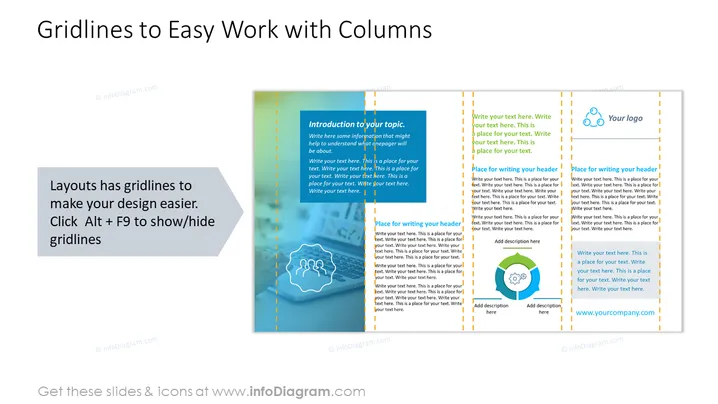
The PowerPoint slide titled "Gridlines to Easy Work with Columns" showcases a feature in the software that allows designers to use gridlines to align text and objects, thus enhancing the design's overall appearance and readability. By pressing "Alt + F9", users can show or hide these guidelines, which serve as a visual aid for placing elements on the slide effectively. Each column on the slide is accompanied by placeholder text that indicates where to write an introduction, headers, and additional descriptions, while also providing a designated area for a company logo.
The slide utilizes a clean and professional design, with a focus on visual aids for design alignment. The contrasting backgrounds of the columns, along with color-coordinated gridlines and text, make the template both informative and visually appealing.


