
Engineer Interview Outline Icons Set: Construction

Slide Content

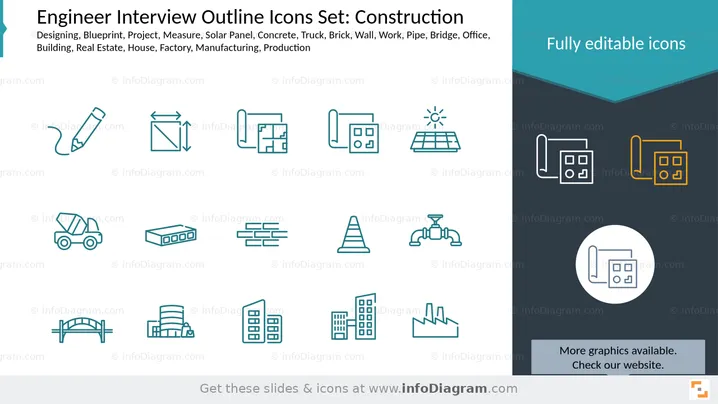
This slide presents a collection of outline icons related to construction and engineering. The icons represent various concepts: designing (pencil), measure (area measurement), blueprint (architectural plans), project (design documents), solar panel (renewable energy), concrete (cement mixer truck), brick (building material), wall (brick wall), work (construction cone), pipe (plumbing fitting), bridge (structural engineering), office (commercial building), building (multi-story structure), real estate (residential buildings), house (single-family dwelling), factory (industrial plant), manufacturing (factory building), and production (industrial complex). These icons are designed for illustrating construction-related topics in presentations.

Graphical Look

  • The slide has a clean, white background on the left side, transitioning to a dark teal and dark grey geometric shape on the right.
  • The title "Engineer Interview Outline Icons Set: Construction" is in black text at the top left.
  • Below the title, a list of keywords like "Designing, Blueprint, Project..." is displayed in smaller black text.
  • The main body of the slide's left side features 18 outline icons, arranged in three rows of six.
  • All icons on the left are uniformly rendered in a teal-blue outline.
  • Examples of these icons include a pencil, a measuring square, blueprints, a concrete mixer, bricks, a traffic cone, a pipe valve, a bridge, and various building silhouettes.
  • The right side of the slide, against the teal and dark grey background, showcases three examples of the icons.
  • The top right example displays two blueprint icons side-by-side, one in white outline and the other in a golden-yellow outline, illustrating customizability.
  • Below this, a single white-outlined blueprint icon is centered within a white circular shape.
  • The text "Fully editable icons" is prominently displayed in white at the top right, above the example icons.
  • At the bottom right, there's a dark grey rectangular box with the text "More graphics available. Check our website." in white.

The overall look is professional and minimalist, with a strong emphasis on the icons themselves. The color scheme is modern and provides good contrast, highlighting the versatility of the icons.

Use Cases

  • Project Proposals: Illustrating different phases or components of a construction project.
  • Industry Overviews: Visually representing various sectors or elements within the construction and engineering industries.
  • Training Materials: Explaining different tools, materials, or concepts to new employees or trainees.
  • Company Presentations: Showcasing a company's capabilities, services, or focus areas in a clear and concise manner.
Engineer Interview Outline Icons Set: Construction

Engineer Interview Outline Icons Set: Construction

Part of deckCivil Engineer Interview Presentation (PPT Template)


