

Your graphics add a nice touch to my presentations and I recently used them for one of my all-hands meetings. Your toolbox adds professionalism to my slides. Instead of using standard clipart.
Claude Jones, Director of Engineer, @Walmartlabs, USA

Your graphics add a nice touch to my presentations and I recently used them for one of my all-hands meetings. Your toolbox adds professionalism to my slides. Instead of using standard clipart.
Claude Jones, Director of Engineer, @Walmartlabs, USA
I needed a fresh look at some of my slides. I've tried to find a way to create a paintbrush effect, to underline, accentuate, add some color and the handwritten markers were just the things. Very easy to use, easy to size, change the color. It was an affordable, perfect solution and I'm happy to recommend it.
Anonymous, US
The crisp, clean look of the graphics, and the fact that it allowed me to easily edit and change the colors to match the template was my main reason for purchasing them.
Brandie Jenkins, E-learning Developer, USA
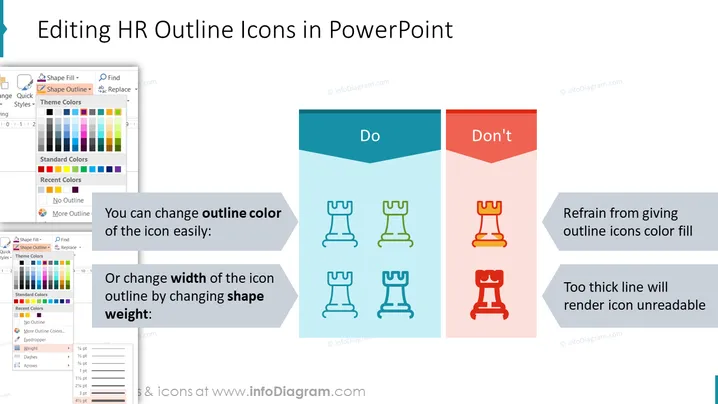
The slide is designed to instruct on how to edit HR outline icons in PowerPoint, dividing the content into "Do" and "Don't" for clarity. Under "Do," it suggests that you can easily change the outline color of the icon or adjust the width of the icon outline by changing shape weight, which means altering the thickness of the icon's line for better visibility. On the "Don't" side, it recommends not to give outline icons color fill as it may hamper readability, and to avoid using too thick lines that will render the icon unreadable, suggesting that excessive line thickness can obscure details.
The slide uses contrasting colors to differentiate between good and bad practices effectively. The overall look is modern and clean, with minimalist iconography and clear, concise instructional text.



