

Your graphics add a nice touch to my presentations and I recently used them for one of my all-hands meetings. Your toolbox adds professionalism to my slides. Instead of using standard clipart.
Claude Jones, Director of Engineer, @Walmartlabs, USA

Your graphics add a nice touch to my presentations and I recently used them for one of my all-hands meetings. Your toolbox adds professionalism to my slides. Instead of using standard clipart.
Claude Jones, Director of Engineer, @Walmartlabs, USA
I needed a fresh look at some of my slides. I've tried to find a way to create a paintbrush effect, to underline, accentuate, add some color and the handwritten markers were just the things. Very easy to use, easy to size, change the color. It was an affordable, perfect solution and I'm happy to recommend it.
Anonymous, US
The crisp, clean look of the graphics, and the fact that it allowed me to easily edit and change the colors to match the template was my main reason for purchasing them.
Brandie Jenkins, E-learning Developer, USA
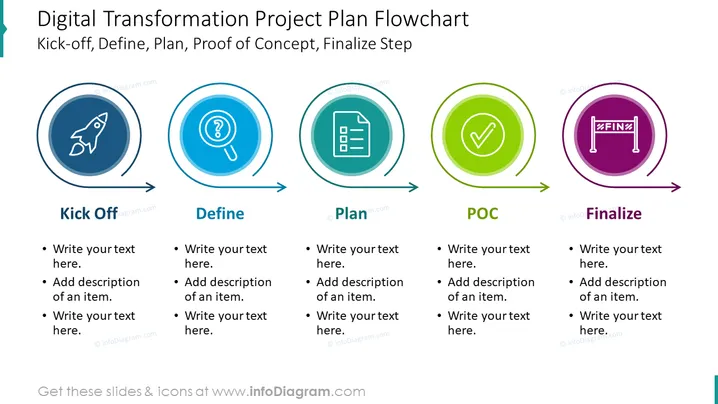
This example slide shows a digital transformation flow chart. Using a chart such as this saves you the pain of having to spend precious time on a presentation, transforms a standard/boring looking chart into a modern & visually-appealing one, ensuring that your audience pays attention. By cutting down on unnecessary content, you'll be able to explain digital transformation and other technology concepts e.g. digitalization, in a clearer way to your team or other audience.
You could use this to show your steps towards achieving a successful digital transformation, present in a meeting to senior management, map out how much investment in new technology would be required for your company to develop its existing processes, and identify & make analyses on how competitors in your industry have conducted themselves when it comes to DT and digital initiative, present different tech solutions to your teams, plan on how to find the talent you'd need for a successful DT, calculate how the sales of your business would be affected, update customers, plan ahead for how to develop in future, touch on how to upgrade your systems, come up with goals, etc.
All elements are fully editable, with icons coming in a vector graphic format. You can add shadows and other effects, add your own text & data (e.g. technology terms, business processes, team members, customer perspective), or resize shapes without loss of image quality. Compatible with PowerPoint, Keynote, and Google Slides.
##Template slide contents: Digital Transformation PPT, Vector Graphic Illustration, DT Project Flowchart, Textboxes, Placeholder Text, Arrow Graphics, Circle Graphics, Rocket Icon, Magnifying Glass Icon, Checklist Icon, Tick Icon, Finish Line Icon, Resizable Shapes, White Background



