
Your graphics add a nice touch to my presentations and I recently used them for one of my all-hands meetings. Your toolbox adds professionalism to my slides. Instead of using standard clipart.
Claude Jones, Director of Engineer, @Walmartlabs, USA
Your graphics add a nice touch to my presentations and I recently used them for one of my all-hands meetings. Your toolbox adds professionalism to my slides. Instead of using standard clipart.
Claude Jones, Director of Engineer, @Walmartlabs, USA
I needed a fresh look at some of my slides. I've tried to find a way to create a paintbrush effect, to underline, accentuate, add some color and the handwritten markers were just the things. Very easy to use, easy to size, change the color. It was an affordable, perfect solution and I'm happy to recommend it.
Anonymous, US
The crisp, clean look of the graphics, and the fact that it allowed me to easily edit and change the colors to match the template was my main reason for purchasing them.
Brandie Jenkins, E-learning Developer, USA
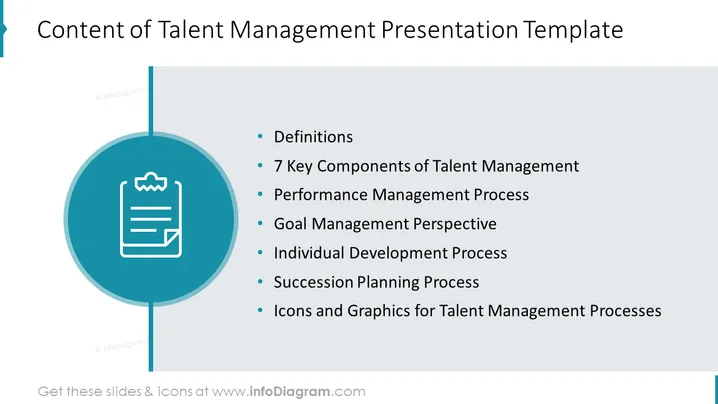
This PowerPoint slide introduces the key topics covered in a Talent Management Presentation Template. It lists essential areas such as "Definitions" which could entail terminology relevant to talent management; "7 Key Components of Talent Management" likely offers a detailed framework for understanding talent management dynamics; "Performance Management Process" is about how an organization monitors and evaluates employee performance; "Goal Management Perspective" discusses the alignment of individual objectives with corporate strategy; "Individual Development Process" focuses on the growth and skill advancement of employees; "Succession Planning Process" involves preparing for the future leadership needs of the company; and "Icons and Graphics for Talent Management Processes" indicates the availability of visual aids tailored for this subject.
The overall look of the slide is minimalistic and corporate, with a tendency towards simplicity and clarity. The blue circular graphic provides an interesting visual break from the text, helping to guide the viewer's eye through the content.




