
Your graphics add a nice touch to my presentations and I recently used them for one of my all-hands meetings. Your toolbox adds professionalism to my slides. Instead of using standard clipart.
Claude Jones, Director of Engineer, @Walmartlabs, USA
Your graphics add a nice touch to my presentations and I recently used them for one of my all-hands meetings. Your toolbox adds professionalism to my slides. Instead of using standard clipart.
Claude Jones, Director of Engineer, @Walmartlabs, USA
I needed a fresh look at some of my slides. I've tried to find a way to create a paintbrush effect, to underline, accentuate, add some color and the handwritten markers were just the things. Very easy to use, easy to size, change the color. It was an affordable, perfect solution and I'm happy to recommend it.
Anonymous, US
The crisp, clean look of the graphics, and the fact that it allowed me to easily edit and change the colors to match the template was my main reason for purchasing them.
Brandie Jenkins, E-learning Developer, USA
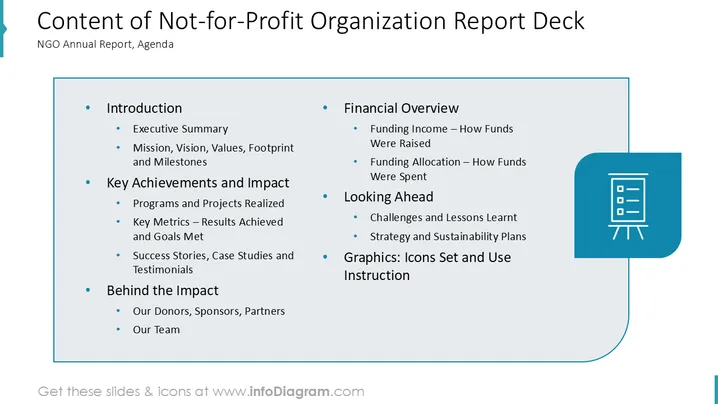
The slide presents an agenda for a not-for-profit organization’s report deck, detailing various sections. The Introduction includes an executive summary and outlines mission, vision, values, footprint, and milestones. Key Achievements and Impact highlight realized programs, key metrics, and success stories. Behind the Impact focuses on donors, sponsors, partners, and team members. The Financial Overview details funding income and allocation. The Looking Ahead section addresses challenges, lessons learned, and future strategies. Graphics provides icon usage instructions.
The composition is organized and visually appealing, ideal for presenting structured information in a clear manner. Icons are used effectively to symbolize the report's content.




