
Your graphics add a nice touch to my presentations and I recently used them for one of my all-hands meetings. Your toolbox adds professionalism to my slides. Instead of using standard clipart.
Claude Jones, Director of Engineer, @Walmartlabs, USA

Your graphics add a nice touch to my presentations and I recently used them for one of my all-hands meetings. Your toolbox adds professionalism to my slides. Instead of using standard clipart.
Claude Jones, Director of Engineer, @Walmartlabs, USA

I needed a fresh look at some of my slides. I've tried to find a way to create a paintbrush effect, to underline, accentuate, add some color and the handwritten markers were just the things. Very easy to use, easy to size, change the color. It was an affordable, perfect solution and I'm happy to recommend it.
Anonymous, US
The crisp, clean look of the graphics, and the fact that it allowed me to easily edit and change the colors to match the template was my main reason for purchasing them.
Brandie Jenkins, E-learning Developer, USA
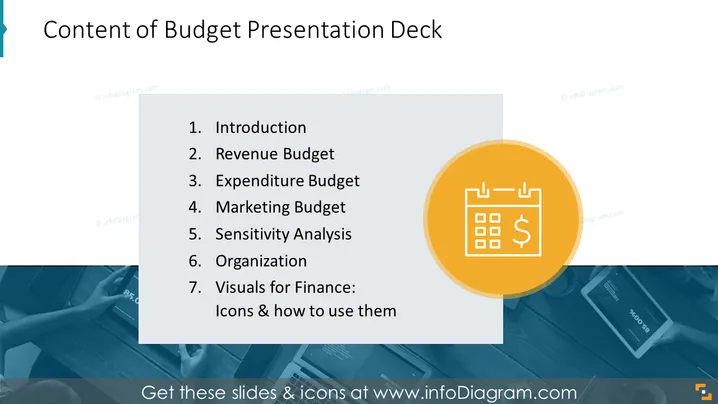
The slide is titled "Content of Budget Presentation Deck" and outlines the sections of a presentation related to budgeting. It has seven items listed: "Introduction," explaining the purpose of the presentation; "Revenue Budget," detailing expected income; "Expenditure Budget," outlining projected expenses; "Marketing Budget," specifying the budget for marketing activities; "Sensitivity Analysis," assessing the budget's resilience to changes; "Organization," possibly relating to the structure of the budget or the company; and "Visuals for Finance: Icons & how to use them," which likely offers guidance on the graphical representation of financial data.
The slide is professionally designed, offering a clean and clear presentation of information with effective use of contrast and branding elements. The strong visual element on the right balances the textual information on the left.


