

Your graphics add a nice touch to my presentations and I recently used them for one of my all-hands meetings. Your toolbox adds professionalism to my slides. Instead of using standard clipart.
Claude Jones, Director of Engineer, @Walmartlabs, USA

Your graphics add a nice touch to my presentations and I recently used them for one of my all-hands meetings. Your toolbox adds professionalism to my slides. Instead of using standard clipart.
Claude Jones, Director of Engineer, @Walmartlabs, USA
I needed a fresh look at some of my slides. I've tried to find a way to create a paintbrush effect, to underline, accentuate, add some color and the handwritten markers were just the things. Very easy to use, easy to size, change the color. It was an affordable, perfect solution and I'm happy to recommend it.
Anonymous, US
The crisp, clean look of the graphics, and the fact that it allowed me to easily edit and change the colors to match the template was my main reason for purchasing them.
Brandie Jenkins, E-learning Developer, USA
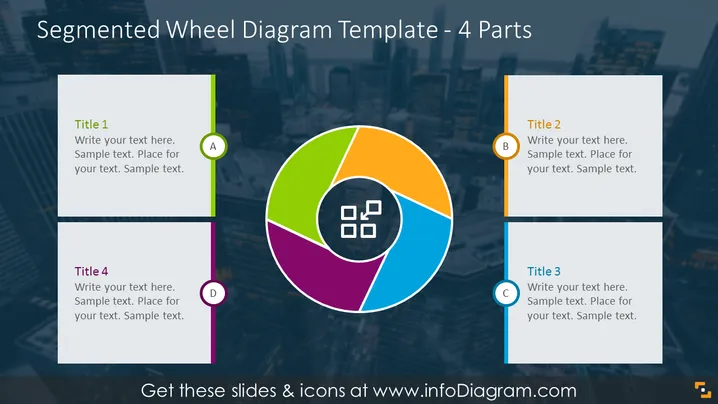
The slide presents a segmented wheel diagram with four parts, each corresponding to a different title and text box. Title 1 is associated with a green segment, Title 2 with an orange segment, Title 3 with a blue segment, and Title 4 with a purple segment. Each of these titles accompanies a designated area where explanatory text can be added, enhancing the clarity of the representation. This layout is typically used to illustrate four related concepts or components that make up a whole.
The slide has a professional and colorful design that draws attention to the wheel diagram as the focal point. The color-coded text boxes, associated with each segment, provide a structured layout for information delivery.
To present the components of a business model or strategy, with each segment representing a different aspect.
For educational purposes, to explain four interconnected topics or ideas in subjects like marketing or project management.
As a visual aid in proposal presentations to showcase the facets of a product, service or initiative.
During team meetings to break down project phases or ## Use Cases
This slide could be effectively utilized for breaking down and presenting a company's value proposition, with each segment detailing a unique component of the overall proposition.
It could serve as a visual tool during marketing meetings to outline a multi-channel strategy, with each section representing a distinct marketing channel and its strategy or metrics.
In project management, this diagram might be employed to delineate the phases of a project lifecycle or to categorize key project deliverables.
This template could also be used in a SWOT analysis presentation to describe the strengths, weaknesses, opportunities, and threats in an organized and visually engaging manner.



