
Your graphics add a nice touch to my presentations and I recently used them for one of my all-hands meetings. Your toolbox adds professionalism to my slides. Instead of using standard clipart.
Claude Jones, Director of Engineer, @Walmartlabs, USA
Your graphics add a nice touch to my presentations and I recently used them for one of my all-hands meetings. Your toolbox adds professionalism to my slides. Instead of using standard clipart.
Claude Jones, Director of Engineer, @Walmartlabs, USA
I needed a fresh look at some of my slides. I've tried to find a way to create a paintbrush effect, to underline, accentuate, add some color and the handwritten markers were just the things. Very easy to use, easy to size, change the color. It was an affordable, perfect solution and I'm happy to recommend it.
Anonymous, US
The crisp, clean look of the graphics, and the fact that it allowed me to easily edit and change the colors to match the template was my main reason for purchasing them.
Brandie Jenkins, E-learning Developer, USA
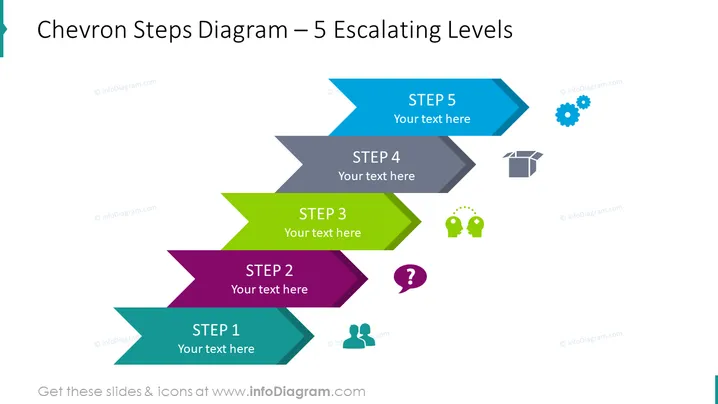
The PowerPoint slide titled "Chevron Steps Diagram – 5 Escalating Levels" depicts a sequential process or a progression of five steps, each denoted by a distinctive chevron shape and a corresponding color. "STEP 1" is turquoise, hinting at the initial phase; "STEP 2" is purple, perhaps indicating a development stage; "STEP 3" is green, which could represent growth or a significant phase; "STEP 4" is gray, perhaps suggesting maturity or a phase of evaluation; and "STEP 5" is blue, likely illustrating the final or completion stage. Each step has a placeholder text indicating where to insert relevant descriptions.
The overall look of the slide is modern and professional, with a gradient color scheme that creates visual interest and guides the viewer through the steps in a logical flow. The use of icons next to each step adds an additional layer of meaning and can help in quickly conveying the concept behind each stage.




