

Your graphics add a nice touch to my presentations and I recently used them for one of my all-hands meetings. Your toolbox adds professionalism to my slides. Instead of using standard clipart.
Claude Jones, Director of Engineer, @Walmartlabs, USA

Your graphics add a nice touch to my presentations and I recently used them for one of my all-hands meetings. Your toolbox adds professionalism to my slides. Instead of using standard clipart.
Claude Jones, Director of Engineer, @Walmartlabs, USA
I needed a fresh look at some of my slides. I've tried to find a way to create a paintbrush effect, to underline, accentuate, add some color and the handwritten markers were just the things. Very easy to use, easy to size, change the color. It was an affordable, perfect solution and I'm happy to recommend it.
Anonymous, US
The crisp, clean look of the graphics, and the fact that it allowed me to easily edit and change the colors to match the template was my main reason for purchasing them.
Brandie Jenkins, E-learning Developer, USA
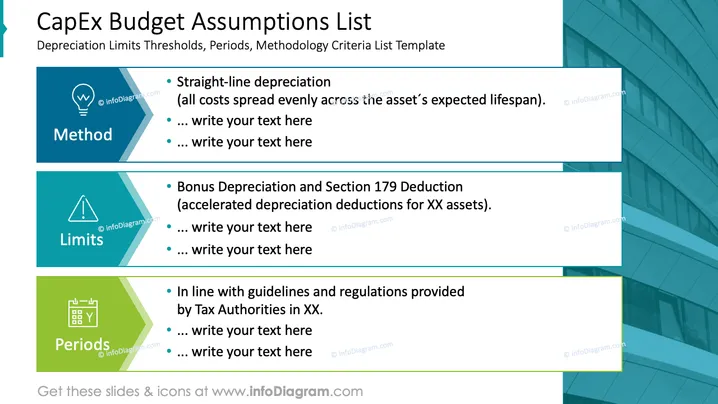
This PowerPoint slide is titled 'CapEx Budget Assumptions List,' focusing on explaining key aspects of capital expenditure (CapEx) budgeting. Under the subheading "Method," straight-line depreciation is mentioned, which is a way of allocating the cost of an asset evenly across its lifespan. The "Limits" section refers to bonus depreciation and Section 179 Deduction, indicating special tax treatments like accelerated depreciation. Lastly, the "Periods" section pertains to compliance with tax guidelines and periods defined by Tax Authorities.
The slide has a modern and professional look with a clear distinction between the three topics. Color-coding and icons help visually separate each section and emphasize their content.



