

Your graphics add a nice touch to my presentations and I recently used them for one of my all-hands meetings. Your toolbox adds professionalism to my slides. Instead of using standard clipart.
Claude Jones, Director of Engineer, @Walmartlabs, USA

Your graphics add a nice touch to my presentations and I recently used them for one of my all-hands meetings. Your toolbox adds professionalism to my slides. Instead of using standard clipart.
Claude Jones, Director of Engineer, @Walmartlabs, USA
I needed a fresh look at some of my slides. I've tried to find a way to create a paintbrush effect, to underline, accentuate, add some color and the handwritten markers were just the things. Very easy to use, easy to size, change the color. It was an affordable, perfect solution and I'm happy to recommend it.
Anonymous, US
The crisp, clean look of the graphics, and the fact that it allowed me to easily edit and change the colors to match the template was my main reason for purchasing them.
Brandie Jenkins, E-learning Developer, USA
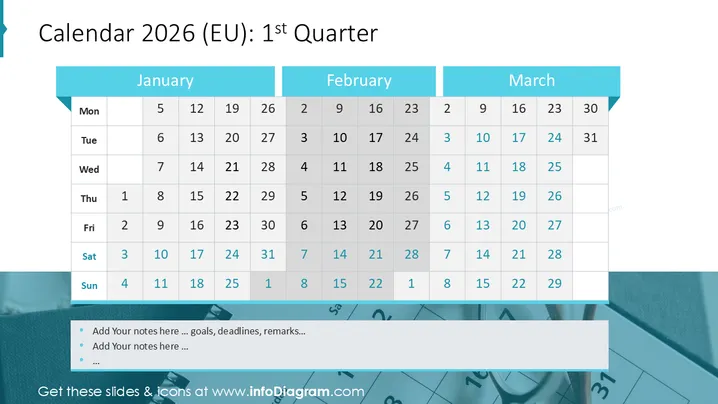
This PowerPoint slide presents a calendar for the first quarter of 2025 within the European Union context. It shows a grid layout of the months January, February, and March. Each month's days are arranged by weeks, in columns beneath the days of the week: Monday through Sunday. The days are numerically listed, starting with Wednesday, January 1st, 2025, and ending with Sunday, March 31st, 2025. There's a clear visual distinction between the header containing the month names and the grid with the dates.
The slide has a professional and straightforward visual aesthetic that efficiently communicates information without any distracting elements. The usage of teal for the month banners adds a touch of color to an otherwise monochrome palette.



