

Your graphics add a nice touch to my presentations and I recently used them for one of my all-hands meetings. Your toolbox adds professionalism to my slides. Instead of using standard clipart.
Claude Jones, Director of Engineer, @Walmartlabs, USA

Your graphics add a nice touch to my presentations and I recently used them for one of my all-hands meetings. Your toolbox adds professionalism to my slides. Instead of using standard clipart.
Claude Jones, Director of Engineer, @Walmartlabs, USA
I needed a fresh look at some of my slides. I've tried to find a way to create a paintbrush effect, to underline, accentuate, add some color and the handwritten markers were just the things. Very easy to use, easy to size, change the color. It was an affordable, perfect solution and I'm happy to recommend it.
Anonymous, US
The crisp, clean look of the graphics, and the fact that it allowed me to easily edit and change the colors to match the template was my main reason for purchasing them.
Brandie Jenkins, E-learning Developer, USA
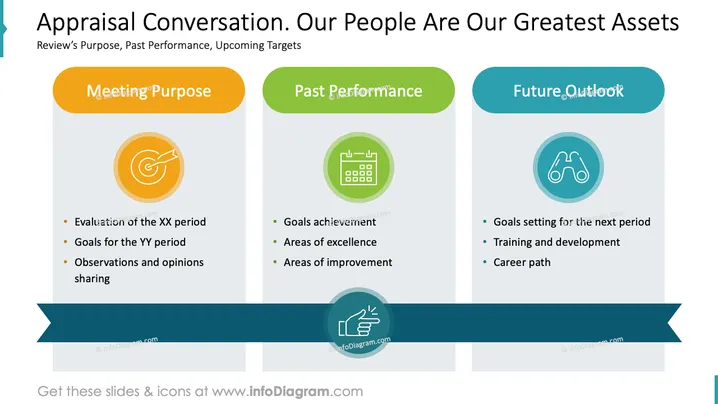
The PowerPoint slide is dedicated to discussing an "Appraisal Conversation," emphasizing that people are the organization's greatest assets. It is segmented into three parts: Meeting Purpose, Past Performance, and Future Outlook. Each section comprises a colored header, an icon, and a list of key points. "Meeting Purpose" explores evaluation of a past period and goals plus thoughts for future engagement. "Past Performance" reviews achievements, excellence, and improvement areas. "Future Outlook" looks forward to setting goals, training opportunities, and career path forecasting.
The overall look of the slide is structured and color-coordinated with a clear division of sections, which is easy on the eyes and makes the content digestible.



