

Your graphics add a nice touch to my presentations and I recently used them for one of my all-hands meetings. Your toolbox adds professionalism to my slides. Instead of using standard clipart.
Claude Jones, Director of Engineer, @Walmartlabs, USA

Your graphics add a nice touch to my presentations and I recently used them for one of my all-hands meetings. Your toolbox adds professionalism to my slides. Instead of using standard clipart.
Claude Jones, Director of Engineer, @Walmartlabs, USA
I needed a fresh look at some of my slides. I've tried to find a way to create a paintbrush effect, to underline, accentuate, add some color and the handwritten markers were just the things. Very easy to use, easy to size, change the color. It was an affordable, perfect solution and I'm happy to recommend it.
Anonymous, US
The crisp, clean look of the graphics, and the fact that it allowed me to easily edit and change the colors to match the template was my main reason for purchasing them.
Brandie Jenkins, E-learning Developer, USA
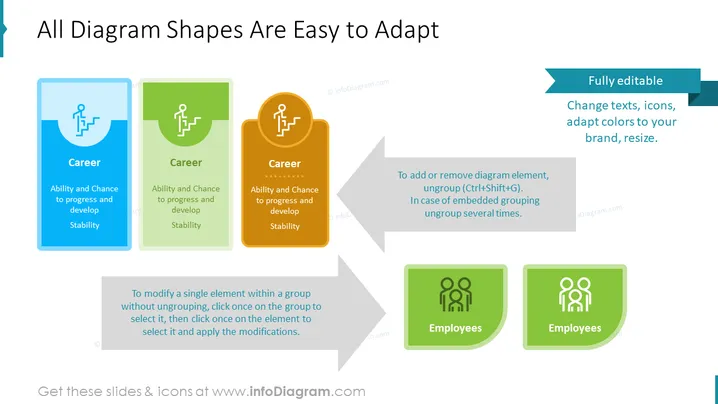
The slide presents the adaptability of diagram shapes in PowerPoint presentations. It showcases three color-coded, rectangular cards with rounded corners, each titled "Career" and listing key attributes: "Ability and Chance to progress and develop" and "Stability." An additional set of cards with the title "Employees" implies diversity in content types. A right-hand sidebar complements the main visual, detailing instructions on editing, such as text changes, icon replacements, color adjustments, and resizing, under the header "Fully editable." A footnote explains how to modify elements within a group without ungrouping, maintaining the overall design structure.
The slide has a professional and clean design with a clear emphasis on the ease of adaptability for the diagram shapes. The use of colors, icons, and alignment contributes to an organized visual hierarchy.



