
Your graphics add a nice touch to my presentations and I recently used them for one of my all-hands meetings. Your toolbox adds professionalism to my slides. Instead of using standard clipart.
Claude Jones, Director of Engineer, @Walmartlabs, USA
Your graphics add a nice touch to my presentations and I recently used them for one of my all-hands meetings. Your toolbox adds professionalism to my slides. Instead of using standard clipart.
Claude Jones, Director of Engineer, @Walmartlabs, USA
I needed a fresh look at some of my slides. I've tried to find a way to create a paintbrush effect, to underline, accentuate, add some color and the handwritten markers were just the things. Very easy to use, easy to size, change the color. It was an affordable, perfect solution and I'm happy to recommend it.
Anonymous, US
The crisp, clean look of the graphics, and the fact that it allowed me to easily edit and change the colors to match the template was my main reason for purchasing them.
Brandie Jenkins, E-learning Developer, USA
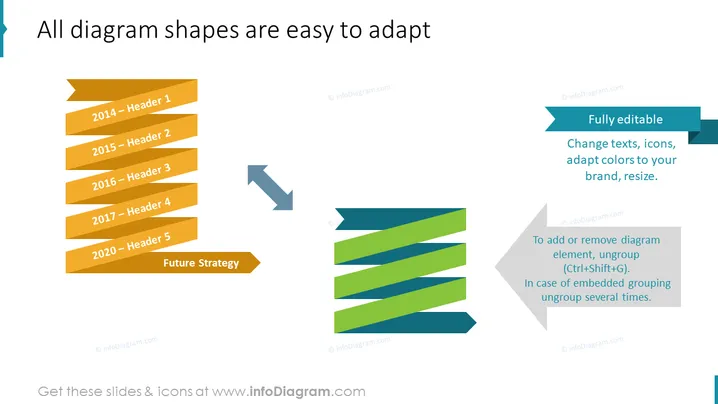
The slide displays a title suggesting that diagram shapes can be easily modified. It features two sets of ribbon-style diagram elements, one before adaptation and another after, showcasing the customizability. The left side illustrates five orange ribbons labeled from 2014 to 2020, each with a header, demonstrating a progression over time. 'Future Strategy' is noted as an additional section. The right side shows the adapted ribbons in varying shades of blue and green, signifying the editable nature. Two text boxes explain that the elements are fully editable: texts, icons, colors, and size can be changed, and to alter the diagram, users should ungroup elements or ungroup multiple times for embedded groups.
The slide has a professional and modern aesthetic with a focus on visual transformation. The use of color gradients and contrasting shapes visually emphasizes the adaptability of the diagram's elements.




