AI Project Icons - Status, Planning
Slide Content
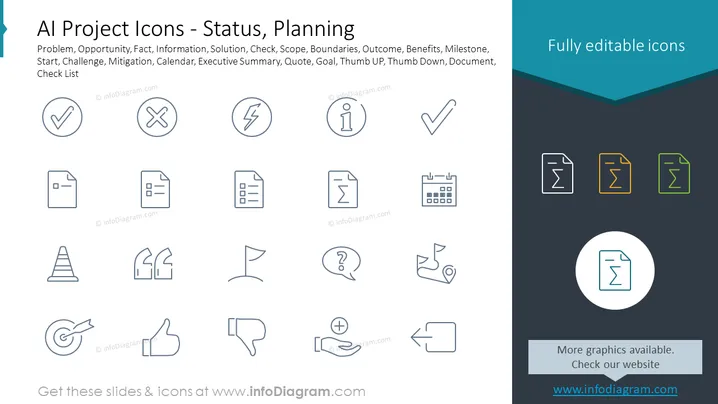
The PowerPoint slide titled "AI Project Icons - Status, Planning" lists various conceptual icons related to project management and AI. These include Problem, representing issues that need addressing; Opportunity, for potential benefits to explore; Fact, symbolizing objective data; Information, referring to data that needs to be communicated; Solution, for ways to resolve problems; Check, indicating a task that has been completed; Scope, defining the project extent; and Boundaries, which set the project's limits. Additional icons denote Outcome, Benefits, Milestone, Start, Challenge, Mitigation, Calendar, Executive Summary, Quote, Goal, Thumb UP, Thumb Down, Document, and Check List, each clarifying different aspects of project status and planning activities.
Graphical Look
- The slide has a clean, modern design with a white background.
- A teal-colored header at the top of the slide contains the slide title in white text.
- There are three rows of icons, each related to project status and planning.
- Each icon is paired with a label beneath it, which is written in a simple sans-serif font.
- The icons are monochromatic, using shades of gray and blue.
- The icons are simple, flat-design style, which is visually appealing and straightforward for interpretation.
- There is a slightly darker panel at the bottom with additional text and a circular icon, indicating more graphics available on a website.
The slide is minimalistic, predominantly using white space and blue hues to create a professional aesthetic. The clear, outlined icons with their corresponding labels make it easy for viewers to quickly understand the concepts being presented.
Use Cases
- To introduce key concepts and terms in a presentation on project management, particularly in the context of AI projects.
- As a visual aid during a project status update meeting to remind team members of the different project aspects being discussed.
- In educational or training settings to teach new team members about common symbols and terms ## AI Project Icons - Status, Planning
Slide Content
The slide "AI Project Icons - Status, Planning" contains a set of monochrome icons each associated with different aspects of project management within AI projects. These icons represent concepts such as Problem (issues needing resolution), Opportunity (chances for improvement or benefit), Fact (objective truths relevant to the project), Information (data to be shared or analyzed), and Solution (proposed ways to resolve issues). Other icons signify procedural and planning elements like Check (completed tasks), Scope (limits of the project's reach), Boundaries (defining edges of the project area), Outcome (result of the project's completion), Benefits (advantages gained from the project), Milestone (significant checkpoints), Start (initiation point), Challenge (difficulties to be faced), Mitigation (efforts to reduce risk), Calendar (scheduling tool), Executive Summary (condensed report for management), Quote (notable saying or price estimate), Goal (end objective), Thumb UP (approval), Thumb Down (disapproval), Document (written files), and Check List (items to be verified or completed).
Graphical Look
- There is a large, clear text title in a dark teal header at the top with a subtle chevron pattern accent below it.
- Below the header, descriptive text aligns left in a smaller sans-serif font.
- Two monochromatic icon rows display above a slightly darker footer area, with each icon depicting a different project concept.
- Icons are uniformly styled in line art, ensuring a cohesive visual theme.
- At the footer's center, a circular highlight focuses on one icon marked by a website URL.
- To the right, in the header, text reading "Fully editable icons" indicates the adaptability of the presented graphics.
The overall look of the slide is modern and organized, with a cool color palette that contributes to a professional tone. Iconography takes center stage, aiming to convey complex project management concepts in a ## AI Project Icons - Status, Planning
Slide Content
The PowerPoint slide is titled "AI Project Icons - Status, Planning" and showcases a variety of symbols that represent key elements of project management and stages within an AI initiative. The listed icons include Problem, Opportunity, Fact, Information, and Solution, which relate to identifying issues, potential gains, verified data, communicated data, and resolutions, respectively. Other icons denote project management terms like Check, Scope, Boundaries, Outcome, Benefits, Milestone, Start, Challenge, Mitigation, Calendar, Executive Summary, Quote, Goal, Thumb UP, Thumb Down, Document, and Check List. Each icon stands for a different facet of project status or planning aspects, offering visual cues to presentation viewers.
Graphical Look
- At the top of the slide, there's a teal header with the title "AI Project Icons - Status, Planning" in white, bold text.
- Underneath the header is a row of textual concepts that correspond to various project management icons.
- Three rows of stylized icons are neatly arranged beneath the text descriptors.
- Icons are simple line drawings with a uniform style and are shades of grey, except for a highlighted document icon in the footer which is circled and colored teal, resembling active selection or focus.
- Additional text on the bottom right indicates the icons are fully editable, matching the color scheme in the teal header.
The slide's design is clean and orderly, with a contemporary look that makes use of minimalistic icons and a cool color palette. The icons are easily interpreted, suitable for a business or tech-savvy audience.
Use Cases
- To visually convey various project management terms during an AI project briefing or strategy meeting.
- As a reference in workshops or seminars to explain project stages, challenges, and planning to attendees.
- To accompany report findings in a business document or presentation to illustrate progress, issues, or achievements within an AI project.
- In educational materials for courses focusing on ## AI Project Icons - Status, Planning
Slide Content
The PowerPoint slide is titled "AI Project Icons - Status, Planning" and displays a collection of icons related to various aspects of project management, particularly within the AI industry. These icons represent crucial concepts and stages such as Problem, Opportunity, Fact, Information, Solution, Check, Scope, Boundaries, Outcome, Benefits, Milestone, Start, Challenge, Mitigation, Calendar, Executive Summary, Quote, Goal, Thumb UP, Thumb Down, Document, and Check List. Each icon is a visual symbol that simplifies and represents a complex topic, making it easy for project managers and team members to communicate and remember these key aspects during the planning and status reporting phases of a project.
Graphical Look
- The upper portion features a dark-teal header with the title text styled in a bold, white font.
- A list of project-related terms are located directly below the title, each corresponding to an icon on the slide.
- Icons are arranged in a grid layout, with three rows and a varying number of columns.
- Each icon uses a monochromatic scheme with shades of grey, outlined against the white background of the slide for high contrast.
- The bottom of the slide includes a footer area where one icon is highlighted in a teal circle, standing out from the rest.
- Towards the bottom right, there is additional thematically consistent text promoting the availability of more graphics.
The slide presents a professional and functional aesthetic with a color scheme focused on teal and grey, contributing to its clean and modern appearance. Icons are simple and depict universally understood symbols, making them useful for diverse audiences in business settings.
Use Cases
- For project kickoff meetings to visually explain the different elements and phases of project planning.
- During status update presentations to quickly reference and discuss various aspects of the project's progress.
- In educational and training sessions for project management, especially within the context of AI or technology projects.
- As part of a ## AI Project Icons - Status, Planning
Slide Content
The PowerPoint slide is labeled "AI Project Icons - Status, Planning" and features a list of terms related to project management stages and concepts, especially tailored for AI projects. These terms include: Problem (issues requiring attention or resolution), Opportunity (potential areas for growth or advantage), Fact (objective pieces of information pertinent to the project), Information (data to be disseminated or processed), Solution (proposed methods for resolving issues), Check (verification or completion of tasks), Scope (the extent or range of the project work), Boundaries (limits or edges defining the project), Outcome (the eventual results or effects of the project), Benefits (advantages or positive impacts from the project), Milestone (significant checkpoints or achievements within the project timeline), Start (the beginning or initiation of a project), Challenge (difficulties or obstacles faced), Mitigation (actions taken to minimize risks), Calendar (scheduling and time management tool), Executive Summary (concise report highlighting key information), Quote (an estimate or a significant statement), Goal (the main objective or target to be achieved), Thumb UP (positive feedback or agreement), Thumb Down (disapproval or negative feedback), Document (official paper or digital files containing information), and Check List (a list of items to be reviewed or tasks to be completed).
Graphical Look
- The slide features a teal header at the top with the title in bold white text.
- Directly below the header, there is a series of project management terms corresponding with the icons below.
- Icons are arranged in three neat rows with each icon illustrating a specific concept from the list above, using a simple line art style.
- All icons are uniform in their monochromatic grey tone except for a highlighted document icon that's placed in a teal circle in the slide’s footer.
- The footer area is a darker shade of the slide background, creating a subtle distinction from the main content area.
- The right ## AI Project Icons - Status, Planning
Slide Content
The PowerPoint slide presents a title "AI Project Icons - Status, Planning" and is populated with icons that correspond to various project management terms such as Problem, Opportunity, Fact, Information, Solution, Check, Scope, Boundaries, Outcome, Benefits, Milestone, Start, Challenge, Mitigation, Calendar, Executive Summary, Quote, Goal, Thumb UP, Thumb Down, Document, and Check List. Each term represents a different element or phase of AI project management, ranging from the identification of issues (Problem) to the appraisal of project completion (Check List). This slide provides a visual toolkit to represent distinct project components or status points symbolically.
Graphical Look
- A dark teal banner runs across the top with white text for the slide's title.
- Underneath the title is a list of project management terms in a lighter font.
- The slide displays a three-by-eight grid of icons matching the listed terms, rendered in a consistent line-drawn style.
- The icons are shades of grey, except for those in the footer, which are colored teal indicating selection or highlighting.
- The design is minimalistic with lots of white space on the slide which emphasizes the icons.
- The footer has a darker shade with more graphics available text and highlights one specific icon in a circle.
The overall appearance of the slide is sleek and professional, utilizing a consistent iconographic style and a restrained color palette to convey a sense of structured clarity.
Use Cases
- In presentations for explaining project status and upcoming planning stages in contexts such as AI project development or management meetings.
- As a part of project management workshops or training sessions where different aspects of a project lifecycle are discussed.
- For creating printed handouts or digital content to provide teams with reference material on project management symbols and meanings.
- To visually map out project timelines or workflows in proposal documents or status reports, giving an immediate visual cue to each phase or element.