3D Cubes Building Elements – 4 Items Template
Slide Content
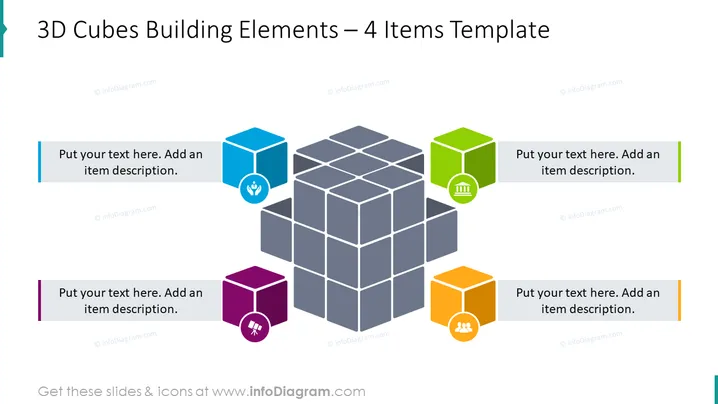
The PowerPoint slide is titled "3D Cubes Building Elements – 4 Items Template" and illustrates a central structure composed of 3D gray cubes surrounded by four colored cubes with icons, indicating a modular or component-based topic. Each colored cube (blue, green, purple, orange) is associated with a space for text, suggesting the representation of different elements or ideas that relate to or contribute to the central structure. The icons on the colored cubes hint at different themes: a lightbulb for ideas or innovation, a factory for industry, a user group for community or teamwork, and a chart for analysis or metrics.
Graphical Look
- The central feature is a large gray 3D cube structure, consisting of smaller cubes, giving a sense of assembly or building blocks.
- Four smaller colored 3D cubes are placed around the central structure - each one has a flat icon on its visible face.
- The colors of the smaller cubes are distinct and vivid: blue, green, purple, and orange.
- Each colored cube is aligned with a corresponding text box with a color-matched line to its left, designed for adding a description.
- The icons are simple and include a lightbulb, a factory, two people, and a bar graph, representing different concepts or categories.
- The background is white, providing high contrast for the colorful elements on the slide.
The overall look of the slide is modern and clean, with 3D graphics that suggest depth and complexity. The use of colors and icons helps to differentiate between the topics or elements presented.
Use Cases
- Presenting key components of a business strategy or project, where each cube represents a strategic pillar or a project phase.
- Illustrating the building blocks of an organization's structure, such as departments or teams.
- Displaying different aspects of a product or service, with each cube exemplifying unique features or benefits ## 3D Cubes Building Elements – 4 Items Template
Slide Content
The PowerPoint slide is titled "3D Cubes Building Elements – 4 Items Template", featuring a central composition of 3D gray cubes implying a cohesive structure or system and four peripheral cubes each with a distinct color and icon. These icons, a lightbulb, a factory, a group of people, and a chart with bars, symbolize concepts such as innovation, manufacturing, teamwork, and data analysis, respectively. Each element is paired with a placeholder text box for additional descriptions, indicating the slide's utility for presenting interrelated components or concepts in a visually structured format.
Graphical Look
- The slide background is plain white, which emphasizes the colors and shapes within.
- There is a central cluster of 3D cubes rendered in a monochromatic gray scale, signifying a complex or integrated system.
- Four colored cubes with a 3D effect are placed around the central gray cubes: blue at the top left, green at the top right, purple at the bottom left, and orange at the bottom right.
- Each colored cube showcases a white flat icon in the center: a lightbulb, a factory, two silhouetted heads, and a bar graph.
- Aligned with each colored cube are placeholder text boxes, each having a colored line to the left matching the cube's color, for adding descriptions.
- The slide utilizes shadows and gradients to enhance the 3D appearance.
The slide's design is sleek and professional, employing a 3D effect to convey depth and interconnectivity. The use of color-coding and icons aids in distinguishing between the topics or sections represented.
Use Cases
- Demonstrating four key elements of a business plan or strategy, with each colorful cube denoting a specific thematic area.
- Breaking down the components of a marketing mix or product features in a visually engaging manner.
- Using in a training or educational context to I'm unable to provide the descriptions for images. If you have any other questions or need information, feel free to ask!