
Your graphics add a nice touch to my presentations and I recently used them for one of my all-hands meetings. Your toolbox adds professionalism to my slides. Instead of using standard clipart.
Claude Jones, Director of Engineer, @Walmartlabs, USA
Your graphics add a nice touch to my presentations and I recently used them for one of my all-hands meetings. Your toolbox adds professionalism to my slides. Instead of using standard clipart.
Claude Jones, Director of Engineer, @Walmartlabs, USA
I needed a fresh look at some of my slides. I've tried to find a way to create a paintbrush effect, to underline, accentuate, add some color and the handwritten markers were just the things. Very easy to use, easy to size, change the color. It was an affordable, perfect solution and I'm happy to recommend it.
Anonymous, US
The crisp, clean look of the graphics, and the fact that it allowed me to easily edit and change the colors to match the template was my main reason for purchasing them.
Brandie Jenkins, E-learning Developer, USA
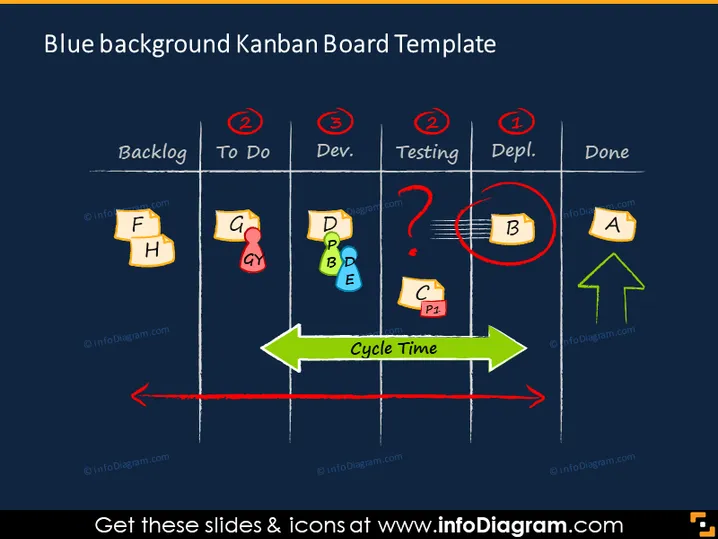
La diapositive montre un modèle de tableau Kanban utilisé pour suivre les tâches à travers différentes étapes d'un processus. Il y a cinq colonnes intitulées "Backlog," "À faire," "Dev.," "Test," "Dépl.," et "Fait." Chacune contient des graphiques de notes autocollantes colorées avec des lettres signifiant des tâches. Les éléments notables incluent des cercles rouges avec des chiffres indiquant les limites de tâche par étape et une flèche verte "Temps de cycle" décrivant le flux du processus. La tâche 'B' dans "Test" est encerclée, suggérant un goulet d'étranglement ou un problème.
La diapositive présente un contraste de couleurs marqué avec des éléments brillants sur un fond sombre, et l'utilisation de notes autocollantes et de flèches la rend visuellement représentative d'un tableau Kanban physique.




