

Your graphics add a nice touch to my presentations and I recently used them for one of my all-hands meetings. Your toolbox adds professionalism to my slides. Instead of using standard clipart.
Claude Jones, Director of Engineer, @Walmartlabs, USA

Your graphics add a nice touch to my presentations and I recently used them for one of my all-hands meetings. Your toolbox adds professionalism to my slides. Instead of using standard clipart.
Claude Jones, Director of Engineer, @Walmartlabs, USA
I needed a fresh look at some of my slides. I've tried to find a way to create a paintbrush effect, to underline, accentuate, add some color and the handwritten markers were just the things. Very easy to use, easy to size, change the color. It was an affordable, perfect solution and I'm happy to recommend it.
Anonymous, US
The crisp, clean look of the graphics, and the fact that it allowed me to easily edit and change the colors to match the template was my main reason for purchasing them.
Brandie Jenkins, E-learning Developer, USA
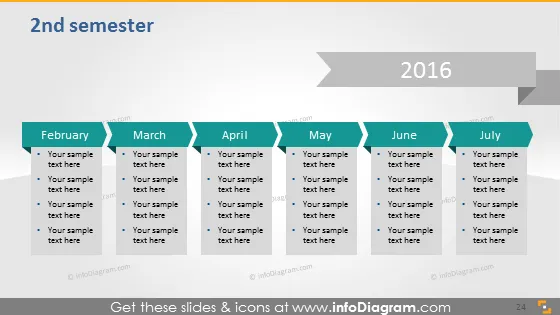
La diapositive présente un calendrier pour le "2ème semestre" de l'année "2016" avec une répartition mensuelle de "février" à "juillet". Chaque mois a une boîte dédiée contenant des espaces réservés "Votre texte exemple ici", suggérant un format où des activités, tâches ou jalons spécifiques pourraient être détaillés. Cette représentation structurée permet une visualisation claire et concise du plan ou des progrès d'un semestre.
L'apparence générale de la diapositive est propre et professionnelle, avec un chemin visuel clair guidant l'œil du spectateur de gauche à droite, symbolisant la progression du temps. L'utilisation de couleurs alternées pour les mois fournit une distinction visuelle qui aide à naviguer dans le calendrier.



