
Your graphics add a nice touch to my presentations and I recently used them for one of my all-hands meetings. Your toolbox adds professionalism to my slides. Instead of using standard clipart.
Claude Jones, Director of Engineer, @Walmartlabs, USA

Your graphics add a nice touch to my presentations and I recently used them for one of my all-hands meetings. Your toolbox adds professionalism to my slides. Instead of using standard clipart.
Claude Jones, Director of Engineer, @Walmartlabs, USA

I needed a fresh look at some of my slides. I've tried to find a way to create a paintbrush effect, to underline, accentuate, add some color and the handwritten markers were just the things. Very easy to use, easy to size, change the color. It was an affordable, perfect solution and I'm happy to recommend it.
Anonymous, US
The crisp, clean look of the graphics, and the fact that it allowed me to easily edit and change the colors to match the template was my main reason for purchasing them.
Brandie Jenkins, E-learning Developer, USA
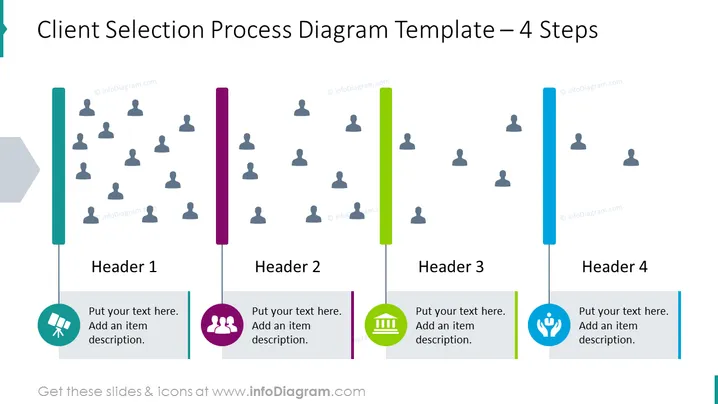
Cette diapositive PowerPoint est intitulée "Modèle de diagramme du processus de sélection des clients – 4 étapes." Elle décrit un processus en quatre étapes pour choisir des clients, indiqué par les en-têtes "En-tête 1," "En-tête 2," "En-tête 3," et "En-tête 4." Chaque en-tête correspond à une barre verticale colorée, symbolisant une étape du processus avec un texte de remplacement incitant à ajouter une description d'élément. Chaque étape montre une icône avec un groupe de figures, représentant différents groupes de clientèle, diminuant en quantité de gauche à droite, reflétant une sélection restreinte.
La diapositive a une esthétique moderne et professionnelle, avec un design minimaliste qui met l'accent sur la clarté et la lisibilité. Elle utilise un système de codage couleur pour distinguer les différentes étapes et incorpore des icônes simples pour représenter chaque étape du processus de sélection des clients.


