
Your graphics add a nice touch to my presentations and I recently used them for one of my all-hands meetings. Your toolbox adds professionalism to my slides. Instead of using standard clipart.
Claude Jones, Director of Engineer, @Walmartlabs, USA

Your graphics add a nice touch to my presentations and I recently used them for one of my all-hands meetings. Your toolbox adds professionalism to my slides. Instead of using standard clipart.
Claude Jones, Director of Engineer, @Walmartlabs, USA
I needed a fresh look at some of my slides. I've tried to find a way to create a paintbrush effect, to underline, accentuate, add some color and the handwritten markers were just the things. Very easy to use, easy to size, change the color. It was an affordable, perfect solution and I'm happy to recommend it.
Anonymous, US
The crisp, clean look of the graphics, and the fact that it allowed me to easily edit and change the colors to match the template was my main reason for purchasing them.
Brandie Jenkins, E-learning Developer, USA
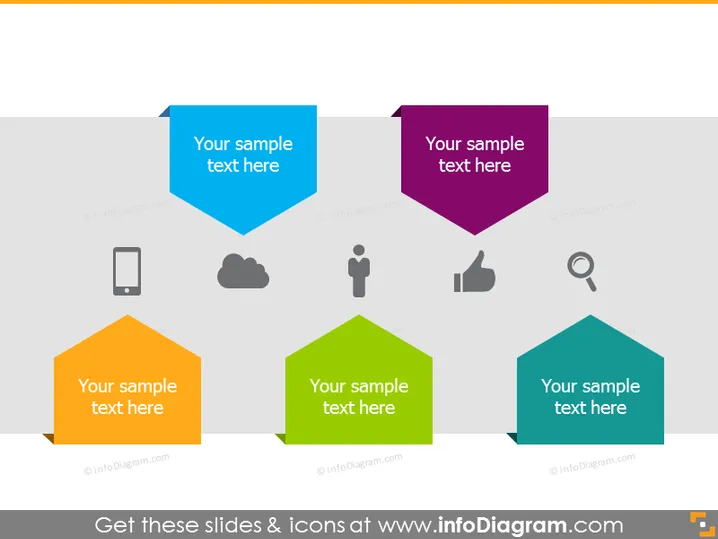
La diapositive PowerPoint présente une série de formes pentagonales stylisées de différentes couleurs, chacune contenant le texte de remplacement "Votre texte d'exemple ici", indiquant qu'un texte personnalisé peut être inséré. Ces formes sont accompagnées d'icônes simples en dessous : un téléphone mobile, un nuage, une figure humaine, un pouce levé et une loupe. Chaque icône représente probablement un concept lié au texte qui la précède : le téléphone mobile pourrait signifier technologie ou communication, le nuage pourrait faire référence à l'informatique en nuage ou au stockage de données, la figure humaine pourrait indiquer personnalisation ou focus utilisateur, le pouce levé pourrait suggérer approbation ou retour positif, et la loupe peut représenter recherche ou analyse.
La diapositive a un design moderne et épuré avec une palette de couleurs simple qui est visuellement attrayante. L'utilisation d'icônes et de formes colorées aide à mettre en évidence différents points ou concepts.