

Your graphics add a nice touch to my presentations and I recently used them for one of my all-hands meetings. Your toolbox adds professionalism to my slides. Instead of using standard clipart.
Claude Jones, Director of Engineer, @Walmartlabs, USA

Your graphics add a nice touch to my presentations and I recently used them for one of my all-hands meetings. Your toolbox adds professionalism to my slides. Instead of using standard clipart.
Claude Jones, Director of Engineer, @Walmartlabs, USA
I needed a fresh look at some of my slides. I've tried to find a way to create a paintbrush effect, to underline, accentuate, add some color and the handwritten markers were just the things. Very easy to use, easy to size, change the color. It was an affordable, perfect solution and I'm happy to recommend it.
Anonymous, US
The crisp, clean look of the graphics, and the fact that it allowed me to easily edit and change the colors to match the template was my main reason for purchasing them.
Brandie Jenkins, E-learning Developer, USA
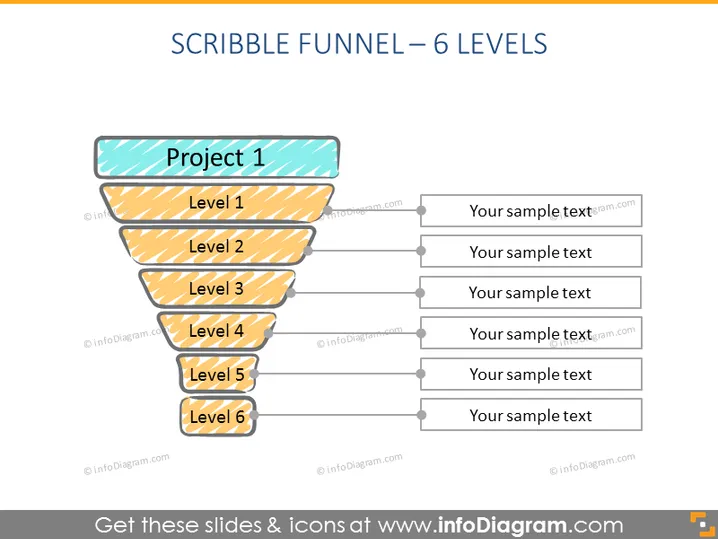
La diapositive PowerPoint représentée illustre un "Funnel Dessiné" avec 6 niveaux distincts. Chaque niveau est étiqueté de "Projet 1" en haut à "Niveau 6" en bas, et est associé à un espace réservé pour du texte, suggérant une étape dans un processus. Cette métaphore visuelle peut être utilisée pour illustrer le flux de travail d'un projet, un pipeline de vente, ou une structure organisationnelle, où "Projet 1" pourrait signifier le concept initial ou le point d'entrée, et "Niveau 6" pourrait indiquer le résultat final ou l'objectif.
L'aspect général de la diapositive est ludique et décontracté, dû au style dessiné à la main du funnel. Il utilise une palette de couleurs simple centrée autour de nuances de jaune-orange pour la clarté et l'accent sur la hiérarchie de l'information.



