

Your graphics add a nice touch to my presentations and I recently used them for one of my all-hands meetings. Your toolbox adds professionalism to my slides. Instead of using standard clipart.
Claude Jones, Director of Engineer, @Walmartlabs, USA

Your graphics add a nice touch to my presentations and I recently used them for one of my all-hands meetings. Your toolbox adds professionalism to my slides. Instead of using standard clipart.
Claude Jones, Director of Engineer, @Walmartlabs, USA
I needed a fresh look at some of my slides. I've tried to find a way to create a paintbrush effect, to underline, accentuate, add some color and the handwritten markers were just the things. Very easy to use, easy to size, change the color. It was an affordable, perfect solution and I'm happy to recommend it.
Anonymous, US
The crisp, clean look of the graphics, and the fact that it allowed me to easily edit and change the colors to match the template was my main reason for purchasing them.
Brandie Jenkins, E-learning Developer, USA
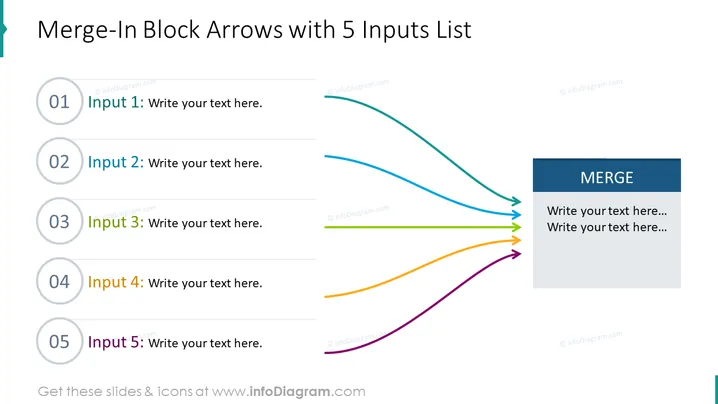
La diapositive PowerPoint intitulée "Flèches de Fusion avec Liste de 5 Entrées" illustre un cadre conceptuel où cinq entrées distinctes convergent en un résultat unique, aptly nommé "FUSION". La diapositive décrit un processus ou un flux logique, où chaque entrée, numérotée de 1 à 5 et accompagnée de texte de remplacement, est visuellement représentée par une couleur distincte. Cette illustration colorée souligne comment différents composants ou idées peuvent s'amalgamer en un concept unifié.
L'apparence générale de la diapositive est professionnelle et visuellement attrayante, avec une distinction claire entre les entrées et le bloc de fusion grâce à l'utilisation de couleurs vives et d'éléments graphiques organisés.



