
Your graphics add a nice touch to my presentations and I recently used them for one of my all-hands meetings. Your toolbox adds professionalism to my slides. Instead of using standard clipart.
Claude Jones, Director of Engineer, @Walmartlabs, USA
Your graphics add a nice touch to my presentations and I recently used them for one of my all-hands meetings. Your toolbox adds professionalism to my slides. Instead of using standard clipart.
Claude Jones, Director of Engineer, @Walmartlabs, USA
I needed a fresh look at some of my slides. I've tried to find a way to create a paintbrush effect, to underline, accentuate, add some color and the handwritten markers were just the things. Very easy to use, easy to size, change the color. It was an affordable, perfect solution and I'm happy to recommend it.
Anonymous, US
The crisp, clean look of the graphics, and the fact that it allowed me to easily edit and change the colors to match the template was my main reason for purchasing them.
Brandie Jenkins, E-learning Developer, USA
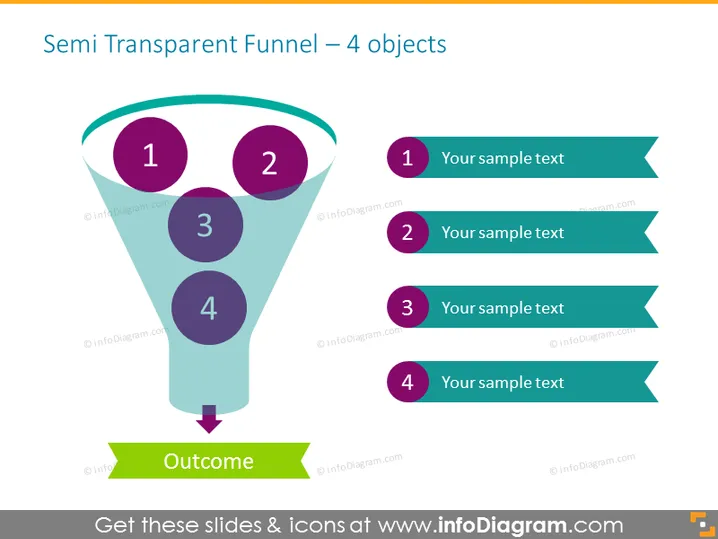
La diapositive PowerPoint intitulée "Entonnoir Semi-Transparent – 4 objets" représente un entonnoir de vente ou de marketing avec quatre étapes, menant à un résultat. Chaque étape est représentée par un cercle numéroté, destiné à identifier une phase ou une étape dans un processus. L'entonnoir se rétrécit vers le bas, symbolisant la progression et le filtrage d'un processus. Les cercles numérotés correspondent à des zones de texte adjacentes à droite, où des détails explicatifs peuvent être insérés.
La diapositive est claire et moderne, utilisant un dégradé de teal avec du violet et du bleu pour distinguer les différentes étapes de l'entonnoir. L'utilisation de la semi-transparence sur l'entonnoir ajoute de la profondeur, tandis que les bannières et cercles codés par couleur facilitent une correspondance facile des étapes avec le texte correspondant.




