
Your graphics add a nice touch to my presentations and I recently used them for one of my all-hands meetings. Your toolbox adds professionalism to my slides. Instead of using standard clipart.
Claude Jones, Director of Engineer, @Walmartlabs, USA
Your graphics add a nice touch to my presentations and I recently used them for one of my all-hands meetings. Your toolbox adds professionalism to my slides. Instead of using standard clipart.
Claude Jones, Director of Engineer, @Walmartlabs, USA
I needed a fresh look at some of my slides. I've tried to find a way to create a paintbrush effect, to underline, accentuate, add some color and the handwritten markers were just the things. Very easy to use, easy to size, change the color. It was an affordable, perfect solution and I'm happy to recommend it.
Anonymous, US
The crisp, clean look of the graphics, and the fact that it allowed me to easily edit and change the colors to match the template was my main reason for purchasing them.
Brandie Jenkins, E-learning Developer, USA
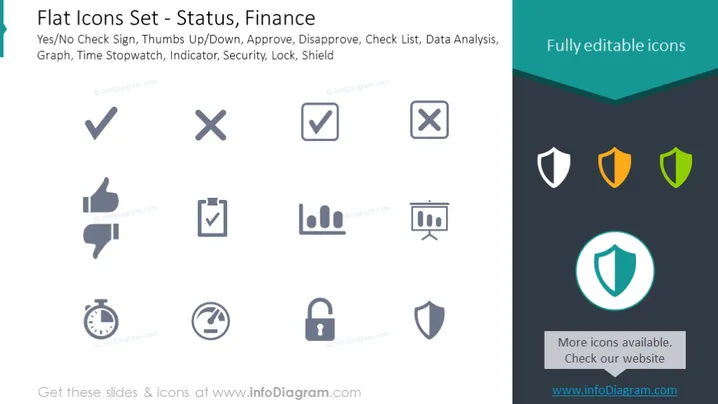
La diapositive PowerPoint offre une variété d'icônes liées au statut et aux finances. Cela inclut des symboles pour confirmation et déni (oui/non, coche et croix), approbation sociale (pouce en l'air/en bas), étapes procédurales (approuver, désapprouver), organisation du flux de travail (liste de contrôle), évaluation de la performance et des progrès (analyse de données, graphique), gestion du temps (chronomètre), métriques et suivi (indicateur), ainsi que des éléments de sécurité (sécurité, serrure, bouclier). Chaque icône fournit une représentation visuelle rapide du concept respectif, comme le pouce en l'air/bas qui signifie approbation ou désapprobation, et le bouclier symbolise la protection ou la sécurité.
L'apparence générale de la diapositive est moderne et professionnelle, avec un accent sur la clarté et des visuels faciles à interpréter. Les couleurs sont utilisées de manière stratégique pour diriger le focus et créer une hiérarchie visuelle.




