

Your graphics add a nice touch to my presentations and I recently used them for one of my all-hands meetings. Your toolbox adds professionalism to my slides. Instead of using standard clipart.
Claude Jones, Director of Engineer, @Walmartlabs, USA

Your graphics add a nice touch to my presentations and I recently used them for one of my all-hands meetings. Your toolbox adds professionalism to my slides. Instead of using standard clipart.
Claude Jones, Director of Engineer, @Walmartlabs, USA
I needed a fresh look at some of my slides. I've tried to find a way to create a paintbrush effect, to underline, accentuate, add some color and the handwritten markers were just the things. Very easy to use, easy to size, change the color. It was an affordable, perfect solution and I'm happy to recommend it.
Anonymous, US
The crisp, clean look of the graphics, and the fact that it allowed me to easily edit and change the colors to match the template was my main reason for purchasing them.
Brandie Jenkins, E-learning Developer, USA
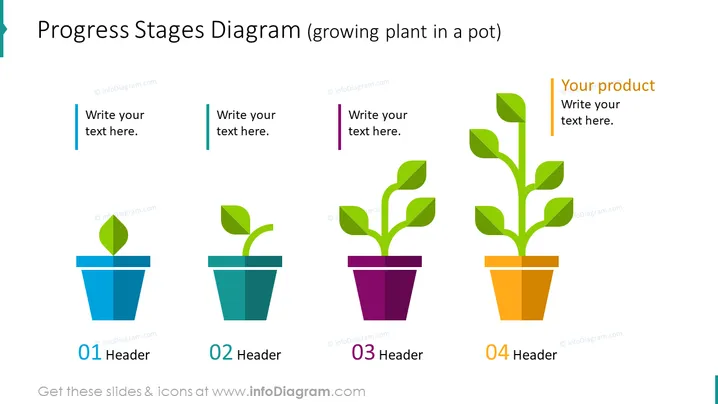
La diapositive représente un "Diagramme des Étapes de Progression" montrant quatre étapes de développement, illustrées par la croissance d'une plante en pot. Chaque pot correspond à une étape différente avec davantage de feuillage à mesure que les étapes avancent. La première étape a une seule feuille, illustrant la phase de création ou de démarrage. La deuxième étape montre une pousse avec deux feuilles, indiquant un développement précoce. En progressant vers la troisième étape, la plante a une tige avec plusieurs feuilles, montrant une croissance continue. Enfin, la quatrième étape affiche une plante entièrement développée, indiquant la maturité ou l'achèvement du projet ou du développement du produit.
L'apparence générale est élégante et moderne, utilisant un design plat et des couleurs vives pour mettre en avant la progression et la croissance. La disposition est symétrique avec tous les éléments alignés horizontalement dans une séquence espacée uniformément.



