
Your graphics add a nice touch to my presentations and I recently used them for one of my all-hands meetings. Your toolbox adds professionalism to my slides. Instead of using standard clipart.
Claude Jones, Director of Engineer, @Walmartlabs, USA
Your graphics add a nice touch to my presentations and I recently used them for one of my all-hands meetings. Your toolbox adds professionalism to my slides. Instead of using standard clipart.
Claude Jones, Director of Engineer, @Walmartlabs, USA
I needed a fresh look at some of my slides. I've tried to find a way to create a paintbrush effect, to underline, accentuate, add some color and the handwritten markers were just the things. Very easy to use, easy to size, change the color. It was an affordable, perfect solution and I'm happy to recommend it.
Anonymous, US
The crisp, clean look of the graphics, and the fact that it allowed me to easily edit and change the colors to match the template was my main reason for purchasing them.
Brandie Jenkins, E-learning Developer, USA
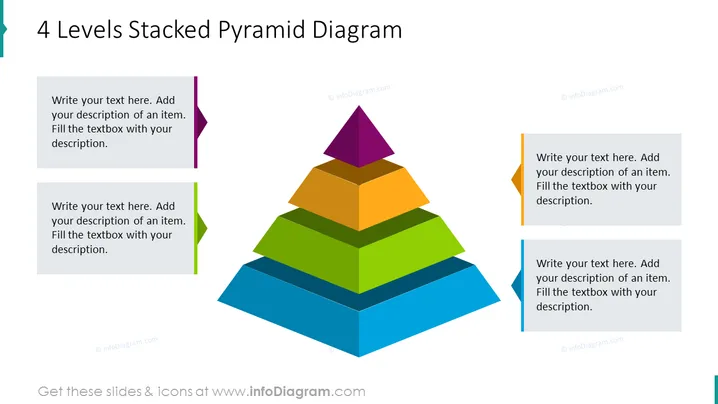
La diapositive présente un diagramme de pyramide empilée à 4 niveaux utilisé pour illustrer des structures hiérarchiques ou des priorisations de manière visuellement engageante. Chaque niveau de la pyramide est représenté par une couleur différente, suggérant une progression ou une construction de concepts du bas (bleu) vers le haut (violet). Accompagnant chaque niveau de la pyramide, il y a des zones de texte pour la personnalisation, invitant le présentateur à ajouter des descriptions détaillées pour chaque couche, expliquant typiquement son importance ou définissant son rôle dans la structure globale.
La diapositive a un aspect moderne et professionnel avec un schéma de couleurs vif qui facilite la distinction facile entre les différents niveaux de la pyramide. L'effet d'ombre fournit une profondeur subtile, faisant ressortir le graphique central de la pyramide.




