

Your graphics add a nice touch to my presentations and I recently used them for one of my all-hands meetings. Your toolbox adds professionalism to my slides. Instead of using standard clipart.
Claude Jones, Director of Engineer, @Walmartlabs, USA

Your graphics add a nice touch to my presentations and I recently used them for one of my all-hands meetings. Your toolbox adds professionalism to my slides. Instead of using standard clipart.
Claude Jones, Director of Engineer, @Walmartlabs, USA
I needed a fresh look at some of my slides. I've tried to find a way to create a paintbrush effect, to underline, accentuate, add some color and the handwritten markers were just the things. Very easy to use, easy to size, change the color. It was an affordable, perfect solution and I'm happy to recommend it.
Anonymous, US
The crisp, clean look of the graphics, and the fact that it allowed me to easily edit and change the colors to match the template was my main reason for purchasing them.
Brandie Jenkins, E-learning Developer, USA
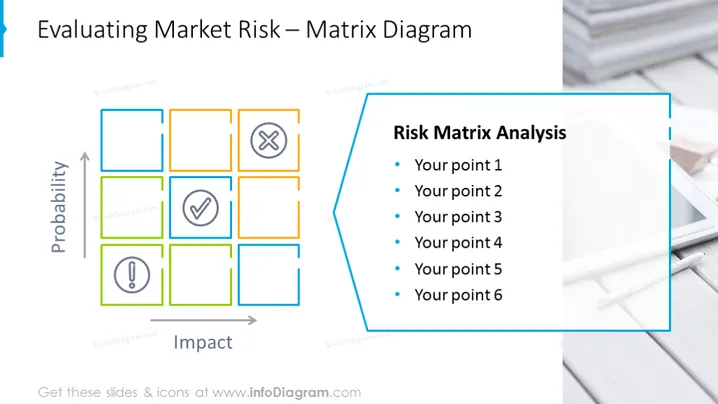
La diapositive PowerPoint est axée sur "l'Évaluation du Risque de Marché" utilisant un Diagramme Matriciel. Cet outil d'évaluation des risques catégorise les risques potentiels en fonction de leur probabilité et de leur impact, représentés respectivement sur les axes Y et X. La matrice se compose de nombreux carrés, dont certains incluent des icônes comme une coche indiquant des risques acceptables et un point d'exclamation signifiant des signes d'avertissement potentiels. Le côté droit de la diapositive est intitulé "Analyse de la Matrice de Risque" et fournit une liste à puces, permettant au présentateur de détailler six points pouvant se rapporter à l'analyse, tels que des évaluations de risque spécifiques ou des stratégies d'atténuation.



