
Your graphics add a nice touch to my presentations and I recently used them for one of my all-hands meetings. Your toolbox adds professionalism to my slides. Instead of using standard clipart.
Claude Jones, Director of Engineer, @Walmartlabs, USA

Your graphics add a nice touch to my presentations and I recently used them for one of my all-hands meetings. Your toolbox adds professionalism to my slides. Instead of using standard clipart.
Claude Jones, Director of Engineer, @Walmartlabs, USA

I needed a fresh look at some of my slides. I've tried to find a way to create a paintbrush effect, to underline, accentuate, add some color and the handwritten markers were just the things. Very easy to use, easy to size, change the color. It was an affordable, perfect solution and I'm happy to recommend it.
Anonymous, US
The crisp, clean look of the graphics, and the fact that it allowed me to easily edit and change the colors to match the template was my main reason for purchasing them.
Brandie Jenkins, E-learning Developer, USA
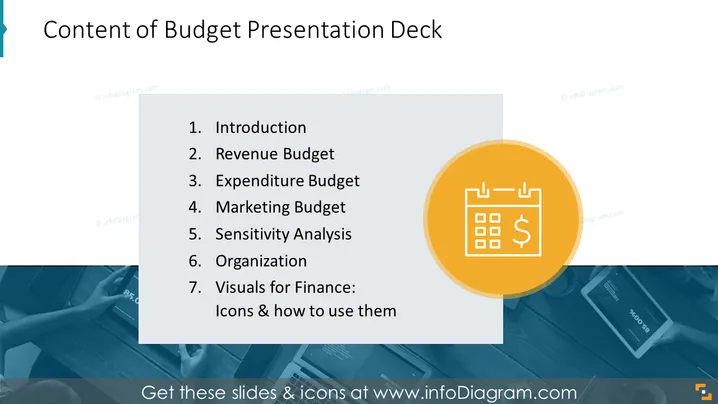
La diapositive est intitulée "Contenu du Deck de Présentation Budgétaire" et décrit les sections d'une présentation liée à la budgétisation. Elle comprend sept éléments listés : "Introduction", expliquant l'objectif de la présentation ; "Budget des Revenus", détaillant les revenus attendus ; "Budget des Dépenses", décrivant les dépenses projetées ; "Budget Marketing", précisant le budget pour les activités marketing ; "Analyse de Sensibilité", évaluant la résilience du budget face aux changements ; "Organisation", pouvant se rapporter à la structure du budget ou de l'entreprise ; et "Visuels pour la Finance : Icônes et comment les utiliser", qui offre probablement des conseils sur la représentation graphique des données financières.
La diapositive est conçue de manière professionnelle, offrant une présentation claire et nette des informations avec une utilisation efficace du contraste et des éléments de marque. L'élément visuel fort à droite équilibre les informations textuelles à gauche.


