

Your graphics add a nice touch to my presentations and I recently used them for one of my all-hands meetings. Your toolbox adds professionalism to my slides. Instead of using standard clipart.
Claude Jones, Director of Engineer, @Walmartlabs, USA

Your graphics add a nice touch to my presentations and I recently used them for one of my all-hands meetings. Your toolbox adds professionalism to my slides. Instead of using standard clipart.
Claude Jones, Director of Engineer, @Walmartlabs, USA
I needed a fresh look at some of my slides. I've tried to find a way to create a paintbrush effect, to underline, accentuate, add some color and the handwritten markers were just the things. Very easy to use, easy to size, change the color. It was an affordable, perfect solution and I'm happy to recommend it.
Anonymous, US
The crisp, clean look of the graphics, and the fact that it allowed me to easily edit and change the colors to match the template was my main reason for purchasing them.
Brandie Jenkins, E-learning Developer, USA
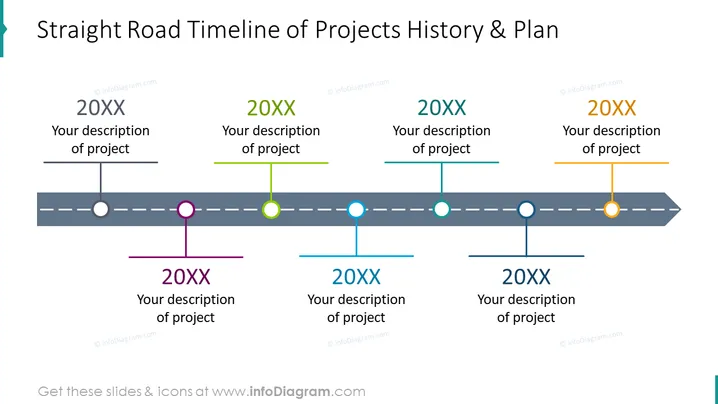
La diapositive PowerPoint intitulée "Chronologie des Projets de Straight Road & Plan" illustre une chronologie dans un format horizontal présentant des jalons de projet. Six marqueurs individuels, chacun associé à une année différente étiquetée "20XX", indiquent des points dans le temps où "Votre description du projet" peut être ajoutée, offrant un espace pour la personnalisation afin d'adapter les détails spécifiques du projet. Cette chronologie est utile pour présenter des événements ou des phases séquentiels dans la gestion de projet.
L'aspect visuel général de la diapositive est minimaliste et centré, utilisant des éléments codés par couleur pour organiser les informations. Elle est conçue pour la clarté et la facilité de compréhension, ce qui la rend efficace pour afficher une séquence d'événements ou de planification.



