

Your graphics add a nice touch to my presentations and I recently used them for one of my all-hands meetings. Your toolbox adds professionalism to my slides. Instead of using standard clipart.
Claude Jones, Director of Engineer, @Walmartlabs, USA

Your graphics add a nice touch to my presentations and I recently used them for one of my all-hands meetings. Your toolbox adds professionalism to my slides. Instead of using standard clipart.
Claude Jones, Director of Engineer, @Walmartlabs, USA
I needed a fresh look at some of my slides. I've tried to find a way to create a paintbrush effect, to underline, accentuate, add some color and the handwritten markers were just the things. Very easy to use, easy to size, change the color. It was an affordable, perfect solution and I'm happy to recommend it.
Anonymous, US
The crisp, clean look of the graphics, and the fact that it allowed me to easily edit and change the colors to match the template was my main reason for purchasing them.
Brandie Jenkins, E-learning Developer, USA
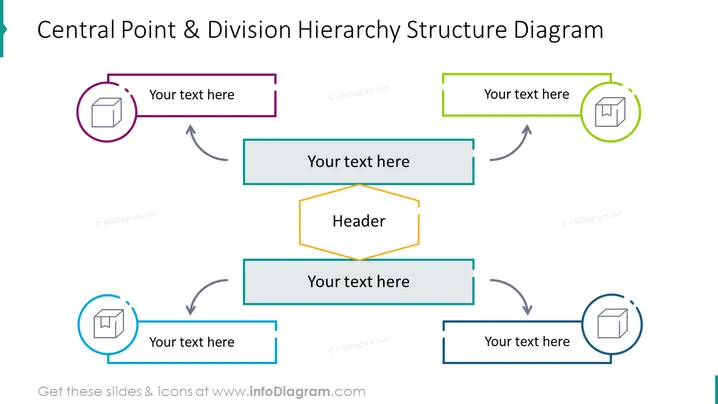
Das Diagramm zeigt eine Hierarchie mit einem zentralen 'Header'-Konzept und vier sich verzweigende Divisionen. Jeder Zweig hat einen Platzhalter für Text und ist mit einem Symbol verbunden. Die Pfeile zeigen einen Informations- oder Beziehungsfluss an. Diese Art von Diagramm könnte verwendet werden, um organisatorische Strukturen, Arbeitsabläufe oder jedes System darzustellen, in dem eine zentrale Idee oder Funktion in mehrere Divisionen verzweigt. Die divisionären Aspekte, die hier durch leere Textkästchen dargestellt werden, sind entscheidende Teile des Ganzen, wobei jedes potenziell unterschiedliche Abteilungen, Aufgaben oder Konzepte repräsentiert, die in die zentrale Idee einfließen.
Die Folie hat ein sauberes und professionelles Erscheinungsbild mit einer klaren visuellen Hierarchie. Der Einsatz von Farbcode und Symbolen hilft dabei, die Abschnitte zu unterscheiden und fügt ein Element von visuellem Interesse hinzu.



